Original: $1,921.53
-70%$1,921.53
$576.46The Story
Xencelabs Pen Display 16 Overview
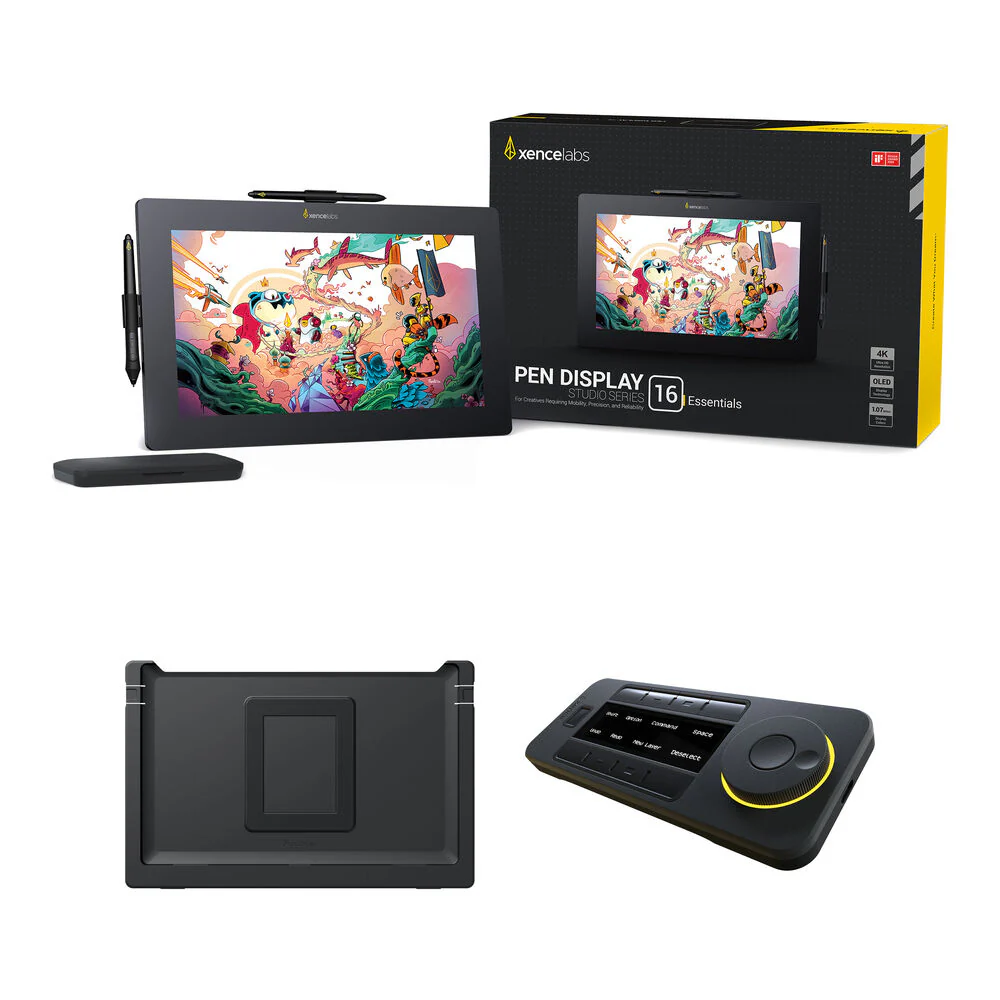
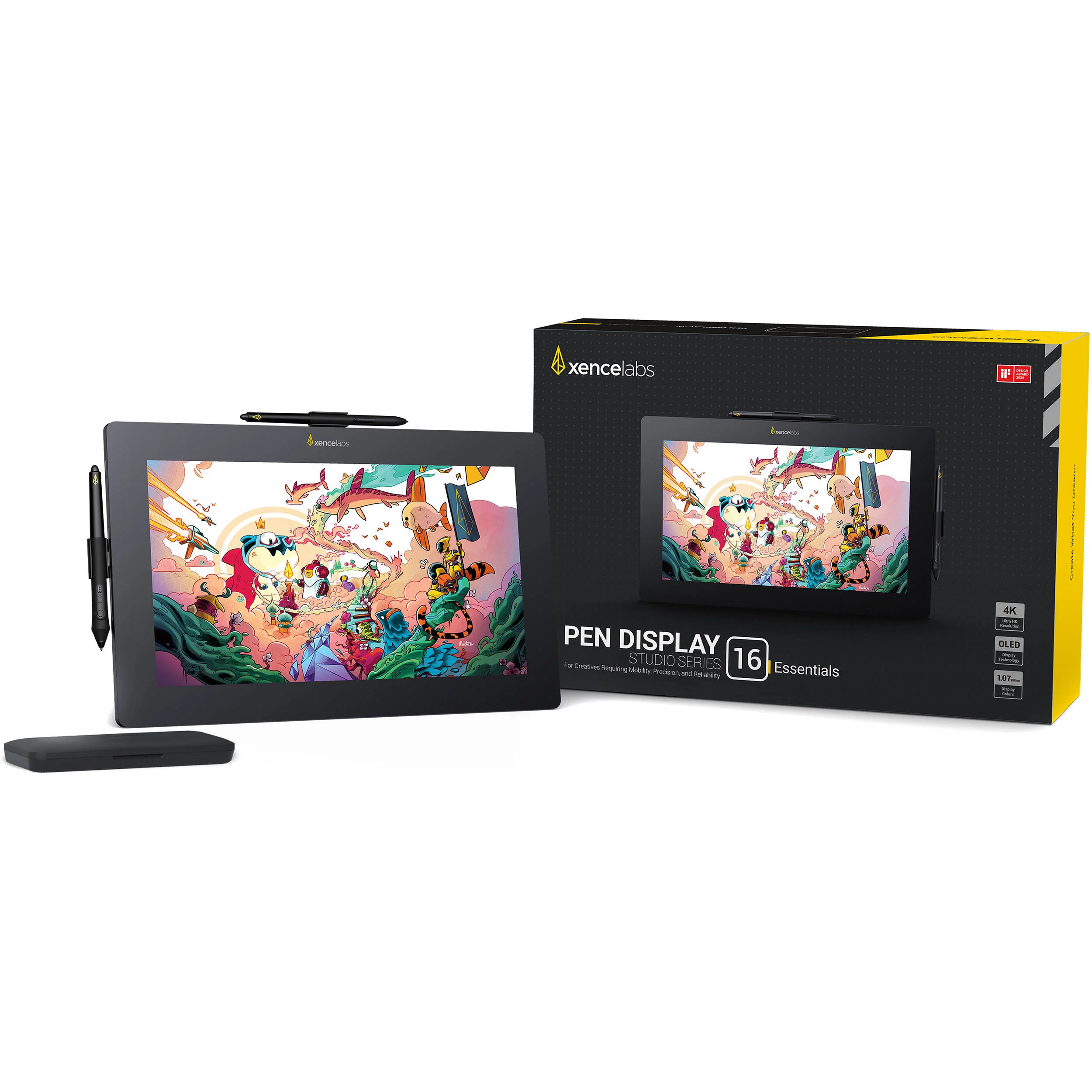
Take full advantage of your Xencelabs Pen Display 16 with the Xencelabs Pen Display 16 Essentials Kit with Desktop Easel and Quick Keys Remote from . The Pen Display 16 features a 16" 4K OLED pen display with a 13.6 x 7.6" active area. The display has pen support for 8192 pressure levels. Also included with this kit is the Desktop Easel, which provides a variety of tilt options. The Quick Keys Remote features eight programmable buttons with five key sets that allow you to create up to 40 shortcuts per application to accelerate your workflow
Create professional illustrations and diagrams from almost anywhere with the Xencelabs Pen Display 16 Essentials. Designed for high portability, the slim and lightweight 16" 4K OLED pen display has a 13.6 x 7.6" active area and may be connected directly to a DisplayPort in Alt Mode compatible USB-C port with a single cable.
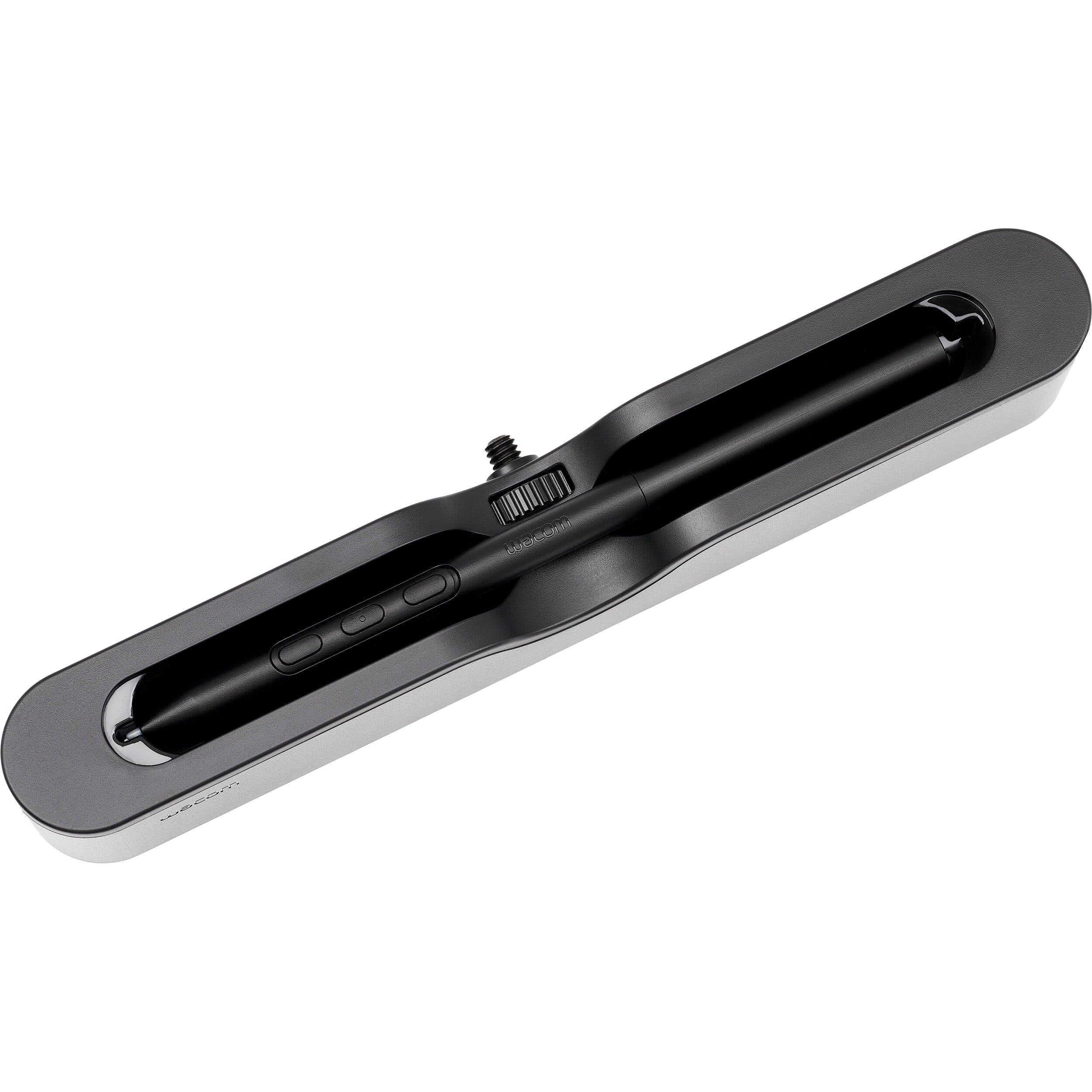
A 3-button standard pen is included alongside a thin pen, both of which have erasers, 8192 pressure levels, ±60° tilt, and don't require batteries. Other accessories include a drawing glove, cleaning cloth, and carrying case.
macOS
Linux
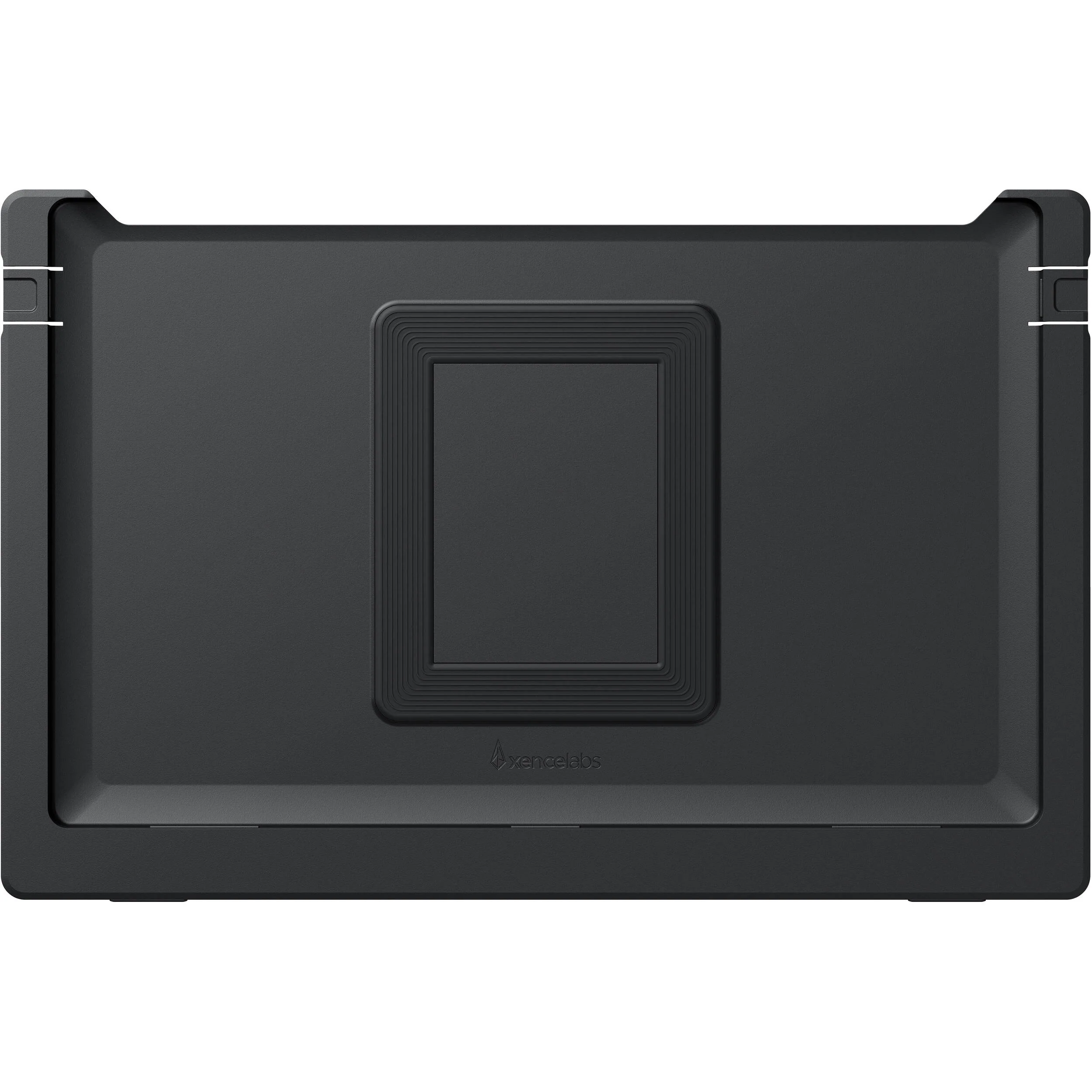
Designed for the Pen Display 6, the Xencelabs Desktop Easel provides continuous tilt adjustment between 10 to 80° when in landscape orientation or 16 to 65° when in portrait mode. The desktop easel also compatible with 75 or 100mm VESA mounts. With quick release buttons, you can easily remove the Pen Display 16 from the desktop easel.
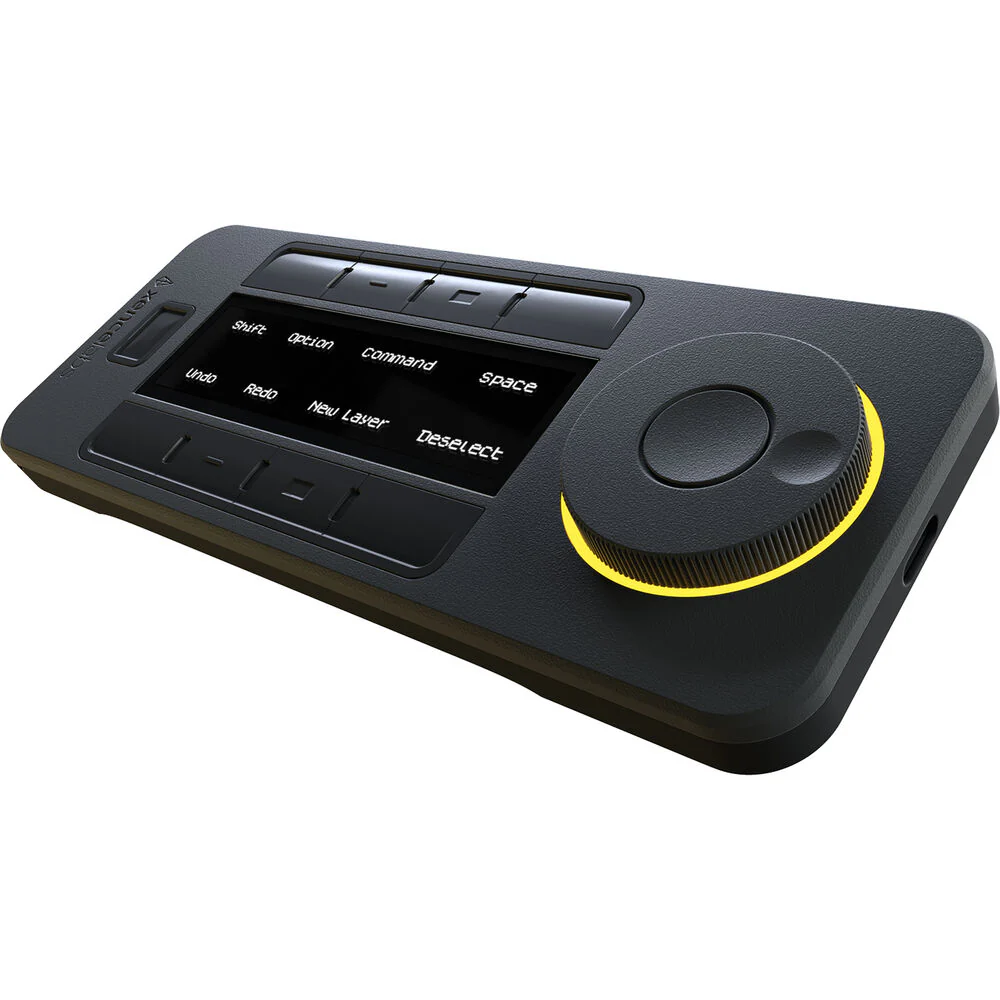
Give your creative workflow a major boost with the Quick Keys Remote from Xencelabs. This compact device features eight programmable buttons with five key sets that allow you to create up to 40 shortcuts per application to accelerate a variety of different tasks. The bright OLED display displays your different shortcuts and can positioned in horizontal or vertical orientations to fit your needs and environment. Use the convenient dial for fine control over different functions that include zoom and brush size. The dial's colored LED backlight indicates which of the four programmed functions is active. The remote controller also features an ambidextrous design and can be connected directly to your Windows or Mac computer using the included angled USB Type-C cable or wirelessly through the RF adapter. Its internal battery is rated to provide up to 53 hours of use from a 1.5-hour charge. The adjustable sleep timer helps to ensure that the Quick Keys will conserve power while fitting your personal workflow. The remote also includes convenient accessories such as a USB Type-A to USB Type-C adapter and a carrying case.
macOS 12.10 or later
Linux
Items Included
- Xencelabs Pen Display 16 Essentials
- Pen Case
- Xencelabs 3-Button Pen v2
- Xencelabs Thin Pen v2
- 2 x Pen Clip
- 6 x Standard Pen Nib
- 4 x Felt Pen Nib
- Nib Extractor
- Cleaning Cloth
- Xencelabs Drawing Glove (Medium, Black)
- Braided USB-C to L-Shaped USB-C Cable (4.9')
- USB-A to USB-C Adapter
- Carrying Case
- Sticker
- Limited 2-Year Manufacturer Warranty
- Xencelabs Desktop Easel for Pen Display 16
- L-Shaped Screwdriver
- Limited 2-Year Manufacturer Warranty
- Xencelabs Quick Keys Remote
- L-Shaped USB Type-C to USB Type-A Cable (6.6')
- Wireless Dongle
- USB Type-A to USB Type-C Adapter
- Carrying Case
- Limited 2-Year Manufacturer Warranty
Additional Resources
No additional resources available
Xencelabs Pen Display 16 Essentials
| Display Size |
16"
|
| Aspect Ratio |
16:9
|
| Native Resolution |
3840 x 2160
|
| Video I/O |
1x USB-C
|
| Active Area |
13.6 x 7.6" / 344.2 x 193.6 mm
|
| Panel Type |
OLED
|
| Display Size |
16"
|
| Aspect Ratio |
16:9
|
| Native Resolution |
3840 x 2160
|
| Video I/O |
1x USB-C
|
| Color Gamut |
98% Adobe RGB
98% DCI-P3 99% sRGB 99% Rec. 709 82% Rec. 2020 |
| Maximum Brightness |
170 nits / cd/m2
|
| Display Colors |
1.07 Billion
|
| Active Area |
13.6 x 7.6" / 344.2 x 193.6 mm
|
| Number of Buttons |
No
|
| Buttons Customizable |
No
|
| Inputs/Outputs |
1x USB-C (Unspecified Interface)
|
| Connectivity Cable |
USB-C
|
| Pressure Levels |
8192
|
| Tilt |
120°
|
| Number of Switches |
3
|
| Resolution |
5080 lpi
|
| Stylus Technology |
Electromagnetic Resonance (EMR)
|
| Wireless |
No
|
| Cable Length |
6.6' / 2 m
|
| OS Compatibility |
Windows / macOS / Linux
|
| Adjustments |
Tilt
|
| Multi-Touch |
No
|
| Weight |
2.6 lb / 1.2 kg
|
| Package Weight |
9.5 lb
|
| Box Dimensions (LxWxH) |
18.7 x 13.5 x 4.9"
|
All product and company names are trademarks™ or registered® trademarks of their respective holders. Use of them does not imply any affiliation with or endorsement by them.
Details & Craftsmanship
Every detail has been carefully considered to bring you the perfect product.
Details & Craftsmanship
Every detail has been carefully considered to bring you the perfect product.
Details & Craftsmanship
Every detail has been carefully considered to bring you the perfect product.
Description
Xencelabs Pen Display 16 Overview
Take full advantage of your Xencelabs Pen Display 16 with the Xencelabs Pen Display 16 Essentials Kit with Desktop Easel and Quick Keys Remote from . The Pen Display 16 features a 16" 4K OLED pen display with a 13.6 x 7.6" active area. The display has pen support for 8192 pressure levels. Also included with this kit is the Desktop Easel, which provides a variety of tilt options. The Quick Keys Remote features eight programmable buttons with five key sets that allow you to create up to 40 shortcuts per application to accelerate your workflow
Create professional illustrations and diagrams from almost anywhere with the Xencelabs Pen Display 16 Essentials. Designed for high portability, the slim and lightweight 16" 4K OLED pen display has a 13.6 x 7.6" active area and may be connected directly to a DisplayPort in Alt Mode compatible USB-C port with a single cable.
A 3-button standard pen is included alongside a thin pen, both of which have erasers, 8192 pressure levels, ±60° tilt, and don't require batteries. Other accessories include a drawing glove, cleaning cloth, and carrying case.
macOS
Linux
Designed for the Pen Display 6, the Xencelabs Desktop Easel provides continuous tilt adjustment between 10 to 80° when in landscape orientation or 16 to 65° when in portrait mode. The desktop easel also compatible with 75 or 100mm VESA mounts. With quick release buttons, you can easily remove the Pen Display 16 from the desktop easel.
Give your creative workflow a major boost with the Quick Keys Remote from Xencelabs. This compact device features eight programmable buttons with five key sets that allow you to create up to 40 shortcuts per application to accelerate a variety of different tasks. The bright OLED display displays your different shortcuts and can positioned in horizontal or vertical orientations to fit your needs and environment. Use the convenient dial for fine control over different functions that include zoom and brush size. The dial's colored LED backlight indicates which of the four programmed functions is active. The remote controller also features an ambidextrous design and can be connected directly to your Windows or Mac computer using the included angled USB Type-C cable or wirelessly through the RF adapter. Its internal battery is rated to provide up to 53 hours of use from a 1.5-hour charge. The adjustable sleep timer helps to ensure that the Quick Keys will conserve power while fitting your personal workflow. The remote also includes convenient accessories such as a USB Type-A to USB Type-C adapter and a carrying case.
macOS 12.10 or later
Linux
Items Included
- Xencelabs Pen Display 16 Essentials
- Pen Case
- Xencelabs 3-Button Pen v2
- Xencelabs Thin Pen v2
- 2 x Pen Clip
- 6 x Standard Pen Nib
- 4 x Felt Pen Nib
- Nib Extractor
- Cleaning Cloth
- Xencelabs Drawing Glove (Medium, Black)
- Braided USB-C to L-Shaped USB-C Cable (4.9')
- USB-A to USB-C Adapter
- Carrying Case
- Sticker
- Limited 2-Year Manufacturer Warranty
- Xencelabs Desktop Easel for Pen Display 16
- L-Shaped Screwdriver
- Limited 2-Year Manufacturer Warranty
- Xencelabs Quick Keys Remote
- L-Shaped USB Type-C to USB Type-A Cable (6.6')
- Wireless Dongle
- USB Type-A to USB Type-C Adapter
- Carrying Case
- Limited 2-Year Manufacturer Warranty
Additional Resources
No additional resources available
Xencelabs Pen Display 16 Essentials
| Display Size |
16"
|
| Aspect Ratio |
16:9
|
| Native Resolution |
3840 x 2160
|
| Video I/O |
1x USB-C
|
| Active Area |
13.6 x 7.6" / 344.2 x 193.6 mm
|
| Panel Type |
OLED
|
| Display Size |
16"
|
| Aspect Ratio |
16:9
|
| Native Resolution |
3840 x 2160
|
| Video I/O |
1x USB-C
|
| Color Gamut |
98% Adobe RGB
98% DCI-P3 99% sRGB 99% Rec. 709 82% Rec. 2020 |
| Maximum Brightness |
170 nits / cd/m2
|
| Display Colors |
1.07 Billion
|
| Active Area |
13.6 x 7.6" / 344.2 x 193.6 mm
|
| Number of Buttons |
No
|
| Buttons Customizable |
No
|
| Inputs/Outputs |
1x USB-C (Unspecified Interface)
|
| Connectivity Cable |
USB-C
|
| Pressure Levels |
8192
|
| Tilt |
120°
|
| Number of Switches |
3
|
| Resolution |
5080 lpi
|
| Stylus Technology |
Electromagnetic Resonance (EMR)
|
| Wireless |
No
|
| Cable Length |
6.6' / 2 m
|
| OS Compatibility |
Windows / macOS / Linux
|
| Adjustments |
Tilt
|
| Multi-Touch |
No
|
| Weight |
2.6 lb / 1.2 kg
|
| Package Weight |
9.5 lb
|
| Box Dimensions (LxWxH) |
18.7 x 13.5 x 4.9"
|
All product and company names are trademarks™ or registered® trademarks of their respective holders. Use of them does not imply any affiliation with or endorsement by them.