Original: $1,684.79
-70%$1,684.79
$505.44The Story
Z CAM E2C MFT Mount Overview
- 1Description
- 2Firmware 0.98 Update
- 34K Capture and Recording
- 4Interfaces and Expandability
- 5iOS App
- 6Camera Settings
- 7Camera Body
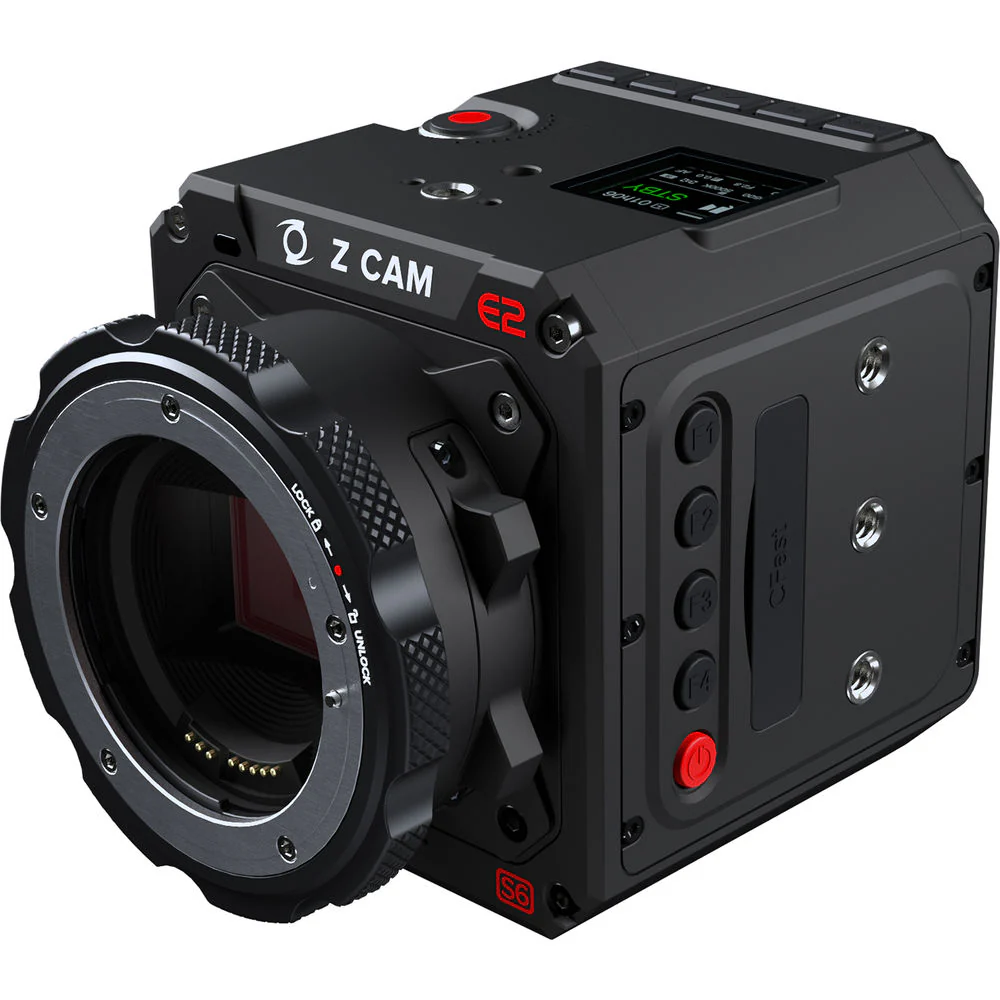
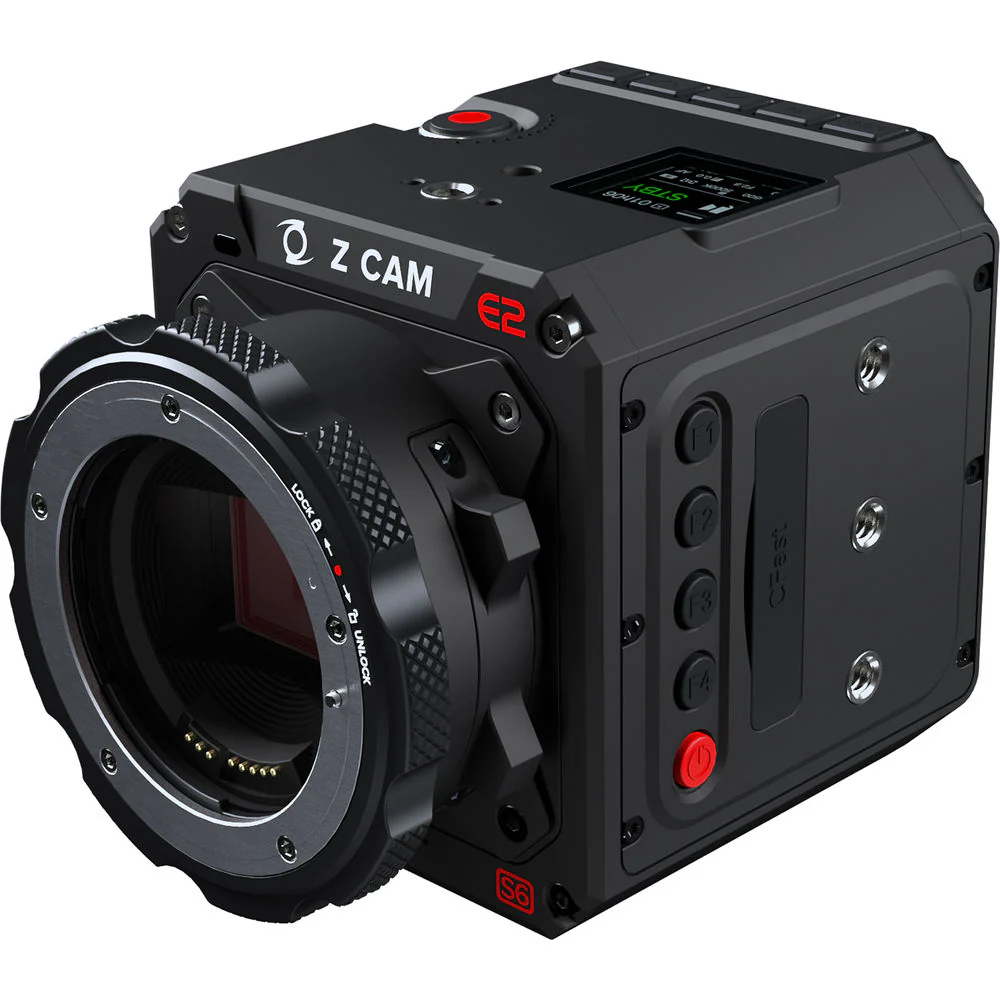
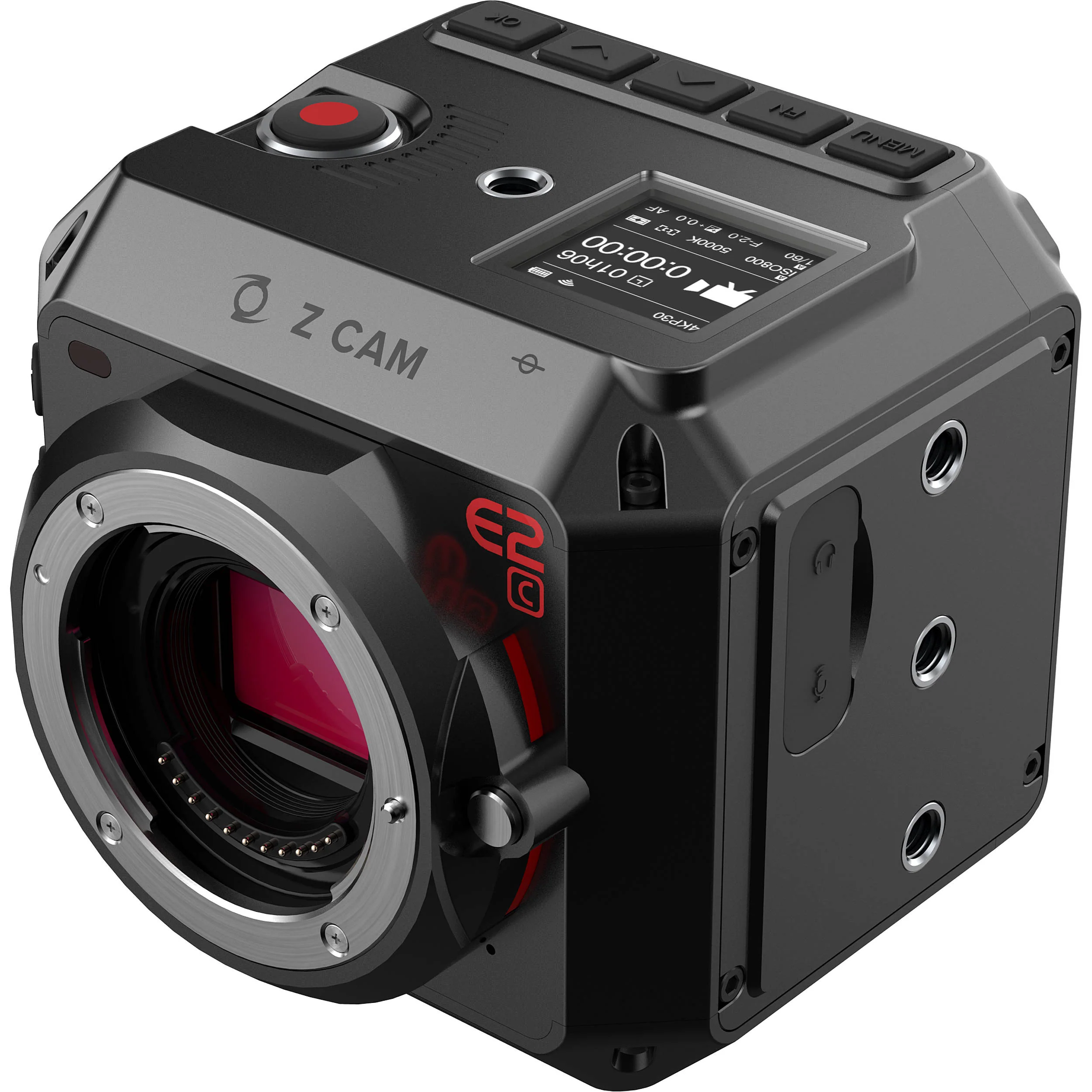
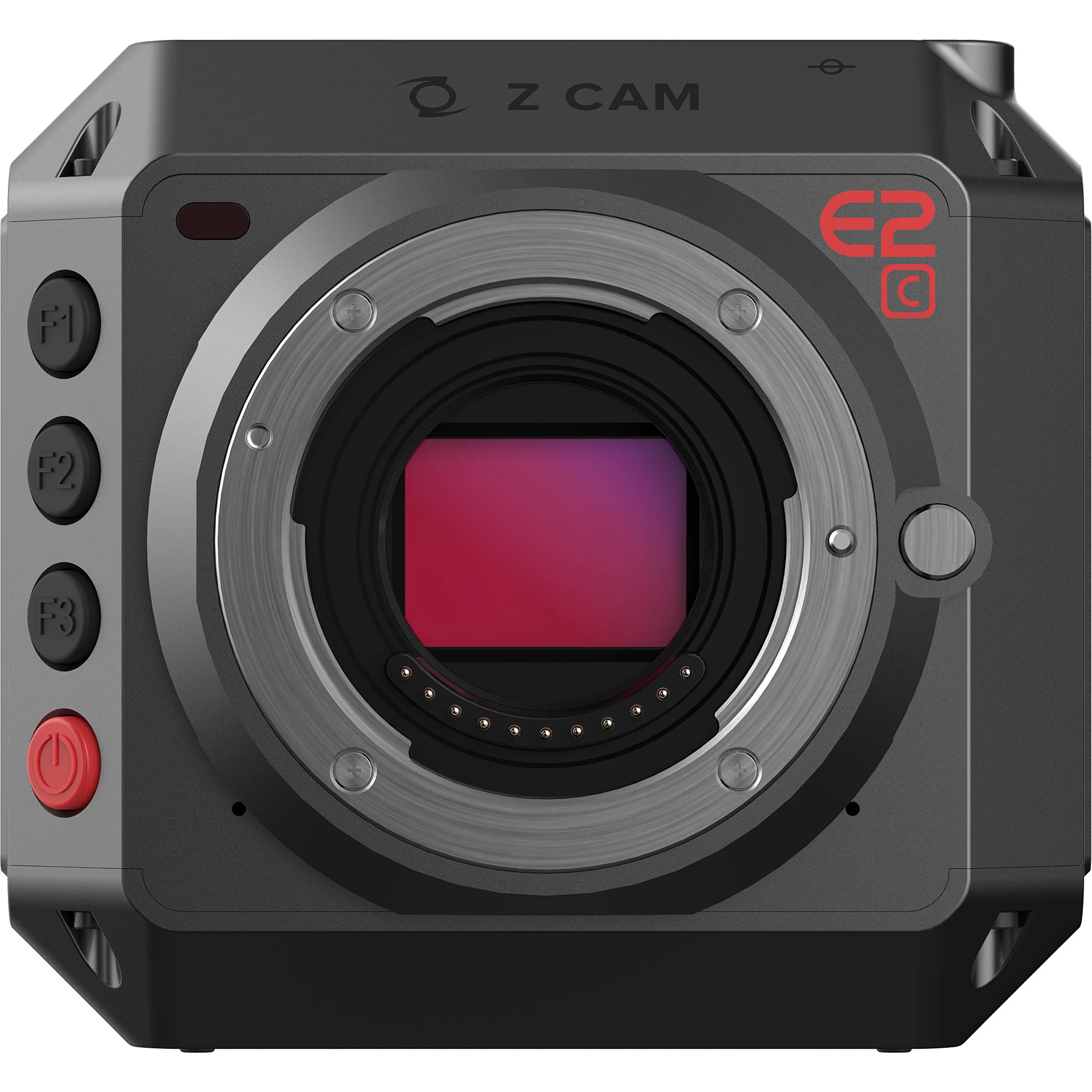
The Z CAM E2C Professional 4K Cinema Camera shoots UHD 4K up to 29.97 fps, as well as HD up to 59.94 fps, and records to an SDXC Class 10 card (not included). The camera features a 4/3" sensor with 10-bit color support and nominal 11.5 stops of dynamic range. The camera supports recording video in MOV/MP4 using H.265 for 10-bit recording, while H.264 supports 8-bit recording, and a recent firmware update allows the camera to record in the ZRAW format. Audio is recorded in 24-bit 48 kHz using AAC or PCM (PCM for MOV format only).
You can use an available iOS app to control the camera via Wi-Fi and to view a live image preview. You can also control it locally by the buttons along the front edge of the camera. The camera powers via PoE, an LP-E6-series battery (not included), or via a DC input port. An included LEMO to D-Tap power cable allows you to power the camera from a D-Tap source. An optional AC to DC power adapter can also power the camera.
- All resolution and frame rate combinations now support ProRes 422 recording (except 8K 2.4:1)
- ProRes proxy records in separate files
- Preview and in-camera playback with 3D LUT banding issue fixed
- External SSD recording through USB performance improved
- UVC (USB camera) bug fixes
- Unburdened by a recording time limit, you can record UHD 4K up to 29.97 fps or 1080p up to 59.94 fps, for up to the limit of your recording media's capacity
- CMOSW sensor with 11.5 stops of dynamic range (Z-Log2)
- The camera supports REC.709, Z-Log2, FLAT, and HLG
- H.265 (10-bit color) internal recording on SDXC Class 10 cards, UHS-1 Speed Class 3 recommended
- Video output through HDMI 2.0 is supported
- Full-metal housing for efficient heat dissipation
- USB 3.0 Type-C for camera control and data transformation only
- Ethernet port for live view, control, and file transfer to a browser or a computer running Z CAM software
- LANC port for remote control including power on/off
- White balance: Auto, preset, manual (2300 to 7500K)
- Focus modes: MF, AF, CAF
- Image: Brightness, contrast, saturation, sharpness
- LUT: REC. 709, Z-Log2, FLAT, HLG
- Timecode: Current time, manual input
- Made from aluminum for strength and heat dissipation
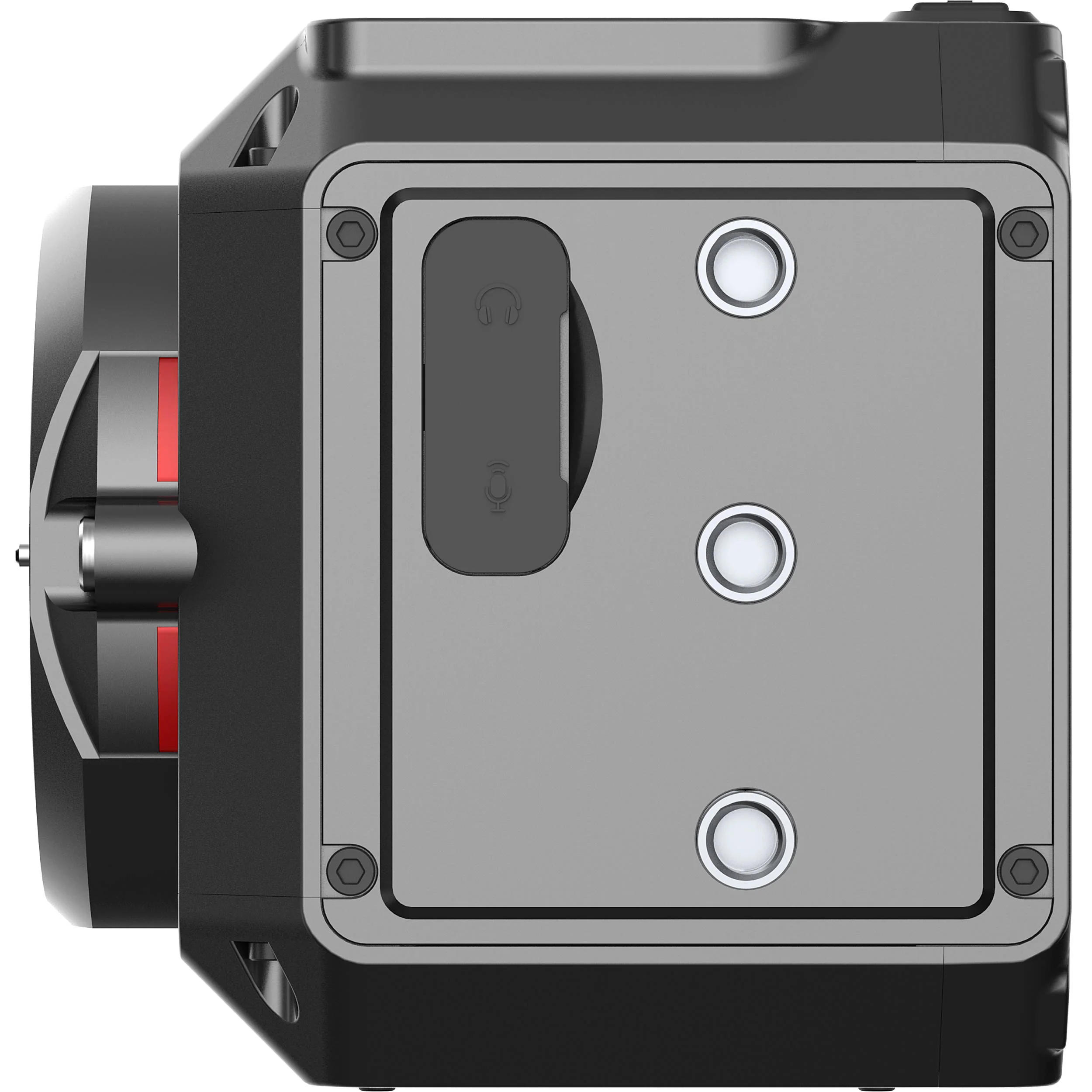
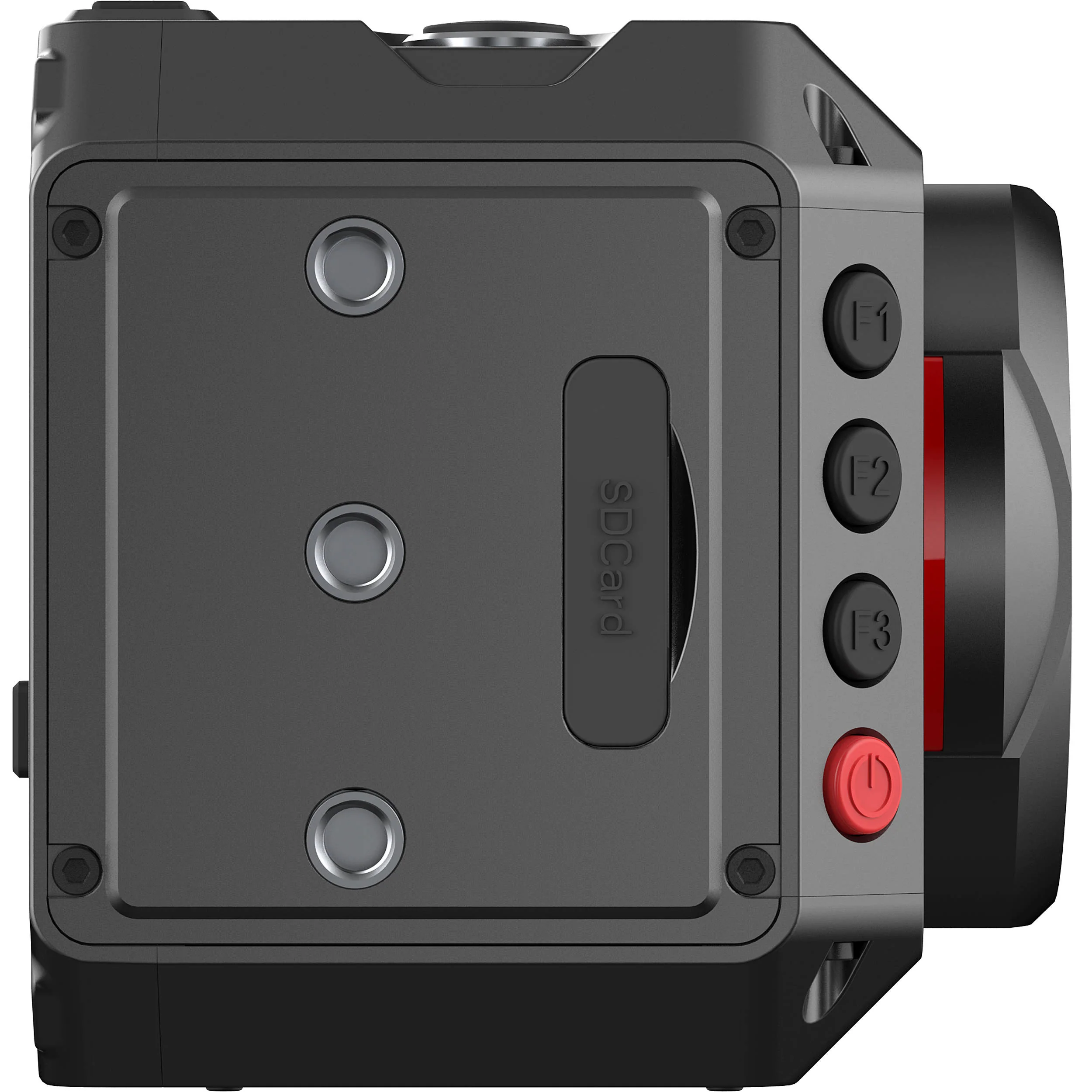
- There are nine threaded mounting holes around the outside chassis
- Sensor plane marking for accurate distance measurements
- Powers from optional AC/DC adapter or optional LP-E6-series batteries
- Active MFT mount
In the Box
- Z CAM E2C Professional 4K Cinema Camera
- LEMO Power Cable with D-Tap Plug
- Lens Mount Cap
Not in the Box
- Essential Recording Media (Not Included)
- Essential Batteries & Chargers (Not Included)
- Essential Cine Lenses (Not Included)
Firmware Updates
3 Available, Latest Jan '21
- Description
- Firmware 0.98 Update
- 4K Capture and Recording
- Interfaces and Expandability
- iOS App
- Camera Settings
- Camera Body
Z CAM E2C MFT Mount Specs
| Lens Mount | Micro Four Thirds |
| Sensor Resolution | Effective: 16.83 Megapixel |
| Sensor Type | 17.56 x 13.11 mm (Four Thirds) CMOS |
| Built-In ND Filter | None |
| Capture Type | Video Only |
| Shutter Type | Electronic Rolling Shutter |
| ISO Sensitivity | 800 to 25,600 |
| Shutter Angle | 1 to 360° |
| Advertised Dynamic Range | 11.5 Stops |
| Internal Recording Modes | H.265/MOV/MP4 10-Bit 3840 x 2160 at 23.98/24.00/25/29.97 fps 2880 x 2880 at 23.98/24.00/25/29.97 fps 1920 x 1080p at 23.98/24.00/25/29.97/50/59.94 fps H.264/MOV/MP4 8-Bit 3840 x 2160 at 23.98/24.00/25/29.97 fps [230 Mb/s] 2880 x 2880 at 23.98/24.00/25/29.97 fps [230 Mb/s] 1920 x 1080p at 23.98/24.00/25/29.97/50/59.94 fps [200 Mb/s] |
| External Recording Modes | Raw 12-Bit via HDMI 3840 x 2160 |
| Sensor Crop Modes | Four Thirds |
| Fast-/Slow-Motion Support | Yes |
| Built-In Microphone Type | Stereo |
| IP Streaming | Yes |
| Media/Memory Card Slot | Single Slot: SD/SDHC/SDXC (UHS-I) [U3/V30 or Faster Recommended] |
| Video I/O | 1 x HDMI 2.0 Output |
| Audio I/O | 1 x 1/8" / 3.5 mm TRS Stereo Input 1 x 1/8" / 3.5 mm TRS Stereo Output |
| Power I/O | 1 x Barrel Input |
| Other I/O | 1 x USB-C 1 x 2.5 mm Sub-Mini (LANC) Control 1 x RJ45 (LAN) Control/Video |
| Wireless | 2.4 GHz Wi-Fi 4 (802.11n) |
| Mobile App Compatible | Yes: iOS Only *As of January, 2023: Check with manufacturer for the most up-to-date compatibility |
| Global Positioning (GPS, GLONASS, etc.) | None |
| Size | 1.3" |
| Display Type | Fixed LCD |
| Type | Optional, Not Included |
| Focus Type | Auto and Manual Focus |
| Focus Mode | Automatic, Continuous-Servo AF, Manual Focus |
| Operating Temperature | 32 to 72°F / 0 to 40°C |
| Storage Temperature | -4 to 140°F / -20 to 60°C |
| Battery Type | Canon LP-E6 |
| PoE Support | Yes |
| Tripod Mounting Thread | 1/4"-20 Female |
| Accessory Mount | 8 x 1/4"-20 Female |
| Material of Construction | Aluminum |
| Dimensions (W x H x D) | 3.6 x 3.5 x 3.3" / 91.2 x 89.1 x 83.9 mm (Without Protrusions) |
| Weight | 1.47 lb / 668 g |
| Package Weight | 2.37 lb |
| Box Dimensions (LxWxH) | 6.1 x 6 x 5.9" |
Z CAM E2C MFT Mount Reviews
Grate purchase
The camera has great image quality, pretty good about the battery life, it's a light and easy to use and very beginner friendly.
Great Camera
Great camera for the budget & quality. One of the best start up cameras
Great little camera for remote control use
It is a very affordable model and thus suitable for uses where there is a risk of damaging or losing the camera. Still it has surprisingly good image quality. I am regularly using the camera at 3200ISO without any problems and the dynamic range seems to be close to what was advertised. Batteries last forever and the internal h265 recordings are of nice quality. Great build quality and very sturdy construction. The only issue with this e2c model is that the locking pin of the MFT mount is slightly smaller than on most MFT mounts and thus the lens can move a tiny bit when focused. So if one wants to use this with a follow focus, then a lens adapter with separate support leg would be needed.
Z cam as A can
If this is your first camera or A cam do not buy it rolling shutter is below average
Great value!
Good quality at a bargain price. Everything works as advertised, except there is noise in dark areas of the image unless I overexpose 1-2 stops. I guess that means the true minimum ISO is actually 400 or even 200, not 800. Another odd thing is the camera won't balance on my gimbal, even though the camera and lens are within the weight limit. I suspect the unusual form factor of the Z-Cam confuses the gyro in the gimbal. Nonetheless I plan on buying a second E2C body, and maybe a bigger gimbal.
stopped working less than a year old
was operating normal till it randomly shut off and now wont turn back on. great camera footage but what ever this bug is. its annoying and cant find a fix for it so im like $300 in on payments with a Credit card and now i have a dead camera. really not happy about this. i treat all my gear good and there is no reason for this camera to stop working out of the blue.
Best cinema camera for the price point !
I took the chance to buy this baby for a feature project and I dont regret it. Its a small beast with super powers. The pro res HQ out of this camera is just stunning and the color science is just amazing. I would buy a second one in a heart beat !
Version 1.0 firmware
I Recently sold my DJI Inspire 1 Pro drone to upgrade to a Mavic 3 Cine. The Inspire 1 Pro used MFT lenses on a 2010 era camera that could be used with an Osmo handle on the ground. I wanted to keep using my MFT primes and was looking for ProRes quality on a camera that doesn't get a lot of use but needs to match and fit, and could possibly be used on a larger Hexacopter build in the future. I'm writing this revew because I haven't seen any reliable reviews of the camera with 1.0 firmware. First the good. Yes it will do ProRes HQ at 24 and 30 FPS if using an external SSD. Yes, it will do ZRaw. Yes it will work with the iOS app, and the app will run on Apple Silicon Macs. To use as an NDI source requires Z-Cam Stream Converter software installed on a Mac or Windows PC. The compact size and reduced weight mean it will fit into many different places easily. However I have not been able to get the MacOS app Zcam VR to connect to the camera over the network, even when connected directly to WiFi, or over USB host, even after deactivating network security and running latest Rosetta2 updates. The iOS app will work for my needs, but will probably be a problem in multi camera setups. Also, I was not able to use the OBS Z-Cam SSP plugin. Having the stream converter software avilable is a solution but would prefer to not need extra windows open. Initial opinion of image quality is that it is pretty good for a budget camera. Rolling shutter is an issue for sure but I don't intend to use this camera for high motion shooting. The claim of support for ProRes 4K raw is misleading IMHO because it really requires an external HDMI recorder, not just an SSD. One thing I didn't notice was that there's no serial/UART port like on the larger E2 cameras. This might become an issue if I decide to use it with a drone later. Again, manuals and downloads are a little vague and the firmware indicated UART function so description needs to be a little clearer. In summary there seems to be a few features missing from the E2-C compared to the E2. The E2-M4 is a better choice if you don't need the compact size and budget allows, if you want to use MFT lenses.
All product and company names are trademarks™ or registered® trademarks of their respective holders. Use of them does not imply any affiliation with or endorsement by them.
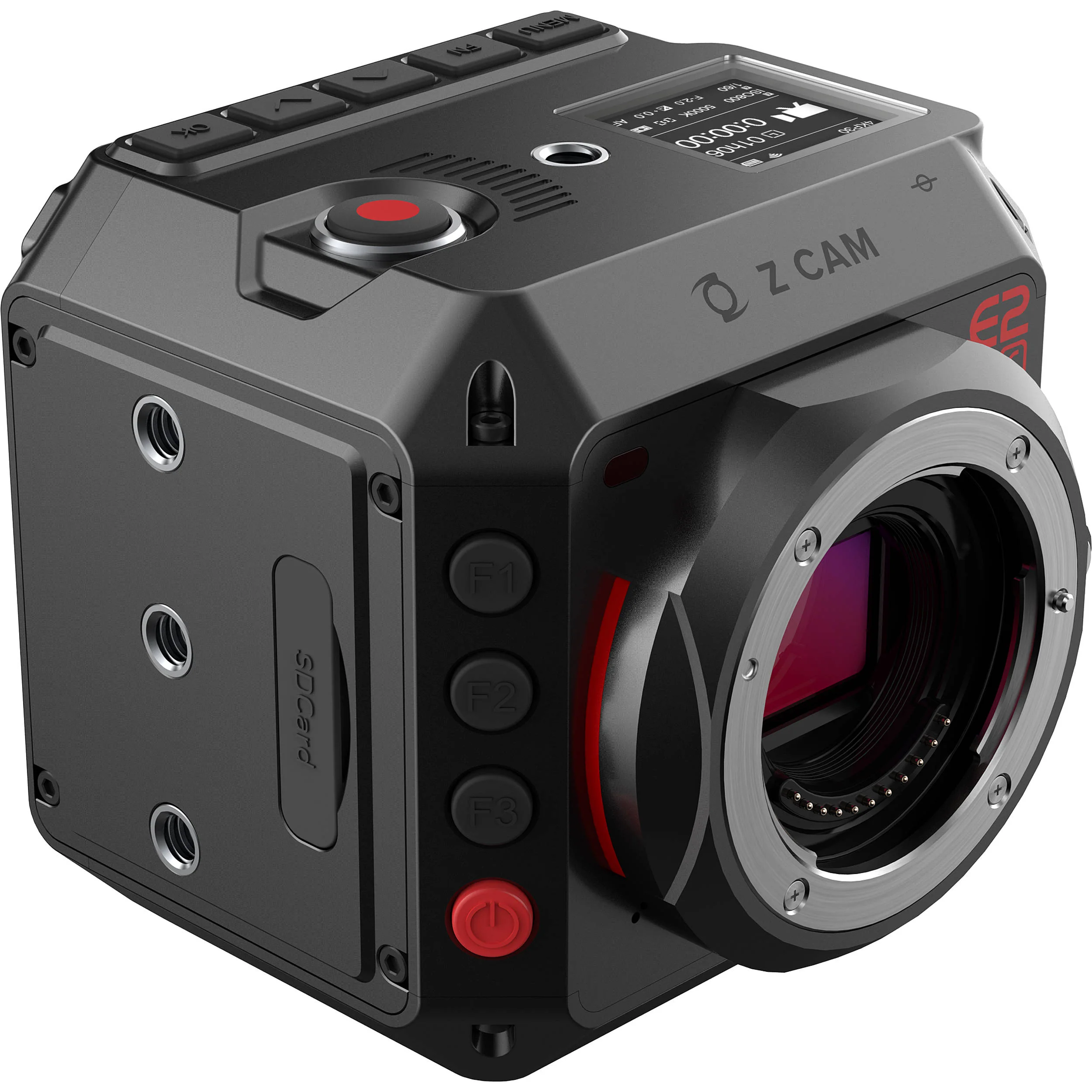
Details & Craftsmanship
Every detail has been carefully considered to bring you the perfect product.
Details & Craftsmanship
Every detail has been carefully considered to bring you the perfect product.
Details & Craftsmanship
Every detail has been carefully considered to bring you the perfect product.
Details & Craftsmanship
Every detail has been carefully considered to bring you the perfect product.
Description
Z CAM E2C MFT Mount Overview
- 1Description
- 2Firmware 0.98 Update
- 34K Capture and Recording
- 4Interfaces and Expandability
- 5iOS App
- 6Camera Settings
- 7Camera Body
The Z CAM E2C Professional 4K Cinema Camera shoots UHD 4K up to 29.97 fps, as well as HD up to 59.94 fps, and records to an SDXC Class 10 card (not included). The camera features a 4/3" sensor with 10-bit color support and nominal 11.5 stops of dynamic range. The camera supports recording video in MOV/MP4 using H.265 for 10-bit recording, while H.264 supports 8-bit recording, and a recent firmware update allows the camera to record in the ZRAW format. Audio is recorded in 24-bit 48 kHz using AAC or PCM (PCM for MOV format only).
You can use an available iOS app to control the camera via Wi-Fi and to view a live image preview. You can also control it locally by the buttons along the front edge of the camera. The camera powers via PoE, an LP-E6-series battery (not included), or via a DC input port. An included LEMO to D-Tap power cable allows you to power the camera from a D-Tap source. An optional AC to DC power adapter can also power the camera.
- All resolution and frame rate combinations now support ProRes 422 recording (except 8K 2.4:1)
- ProRes proxy records in separate files
- Preview and in-camera playback with 3D LUT banding issue fixed
- External SSD recording through USB performance improved
- UVC (USB camera) bug fixes
- Unburdened by a recording time limit, you can record UHD 4K up to 29.97 fps or 1080p up to 59.94 fps, for up to the limit of your recording media's capacity
- CMOSW sensor with 11.5 stops of dynamic range (Z-Log2)
- The camera supports REC.709, Z-Log2, FLAT, and HLG
- H.265 (10-bit color) internal recording on SDXC Class 10 cards, UHS-1 Speed Class 3 recommended
- Video output through HDMI 2.0 is supported
- Full-metal housing for efficient heat dissipation
- USB 3.0 Type-C for camera control and data transformation only
- Ethernet port for live view, control, and file transfer to a browser or a computer running Z CAM software
- LANC port for remote control including power on/off
- White balance: Auto, preset, manual (2300 to 7500K)
- Focus modes: MF, AF, CAF
- Image: Brightness, contrast, saturation, sharpness
- LUT: REC. 709, Z-Log2, FLAT, HLG
- Timecode: Current time, manual input
- Made from aluminum for strength and heat dissipation
- There are nine threaded mounting holes around the outside chassis
- Sensor plane marking for accurate distance measurements
- Powers from optional AC/DC adapter or optional LP-E6-series batteries
- Active MFT mount
In the Box
- Z CAM E2C Professional 4K Cinema Camera
- LEMO Power Cable with D-Tap Plug
- Lens Mount Cap
Not in the Box
- Essential Recording Media (Not Included)
- Essential Batteries & Chargers (Not Included)
- Essential Cine Lenses (Not Included)
Firmware Updates
3 Available, Latest Jan '21
- Description
- Firmware 0.98 Update
- 4K Capture and Recording
- Interfaces and Expandability
- iOS App
- Camera Settings
- Camera Body
Z CAM E2C MFT Mount Specs
| Lens Mount | Micro Four Thirds |
| Sensor Resolution | Effective: 16.83 Megapixel |
| Sensor Type | 17.56 x 13.11 mm (Four Thirds) CMOS |
| Built-In ND Filter | None |
| Capture Type | Video Only |
| Shutter Type | Electronic Rolling Shutter |
| ISO Sensitivity | 800 to 25,600 |
| Shutter Angle | 1 to 360° |
| Advertised Dynamic Range | 11.5 Stops |
| Internal Recording Modes | H.265/MOV/MP4 10-Bit 3840 x 2160 at 23.98/24.00/25/29.97 fps 2880 x 2880 at 23.98/24.00/25/29.97 fps 1920 x 1080p at 23.98/24.00/25/29.97/50/59.94 fps H.264/MOV/MP4 8-Bit 3840 x 2160 at 23.98/24.00/25/29.97 fps [230 Mb/s] 2880 x 2880 at 23.98/24.00/25/29.97 fps [230 Mb/s] 1920 x 1080p at 23.98/24.00/25/29.97/50/59.94 fps [200 Mb/s] |
| External Recording Modes | Raw 12-Bit via HDMI 3840 x 2160 |
| Sensor Crop Modes | Four Thirds |
| Fast-/Slow-Motion Support | Yes |
| Built-In Microphone Type | Stereo |
| IP Streaming | Yes |
| Media/Memory Card Slot | Single Slot: SD/SDHC/SDXC (UHS-I) [U3/V30 or Faster Recommended] |
| Video I/O | 1 x HDMI 2.0 Output |
| Audio I/O | 1 x 1/8" / 3.5 mm TRS Stereo Input 1 x 1/8" / 3.5 mm TRS Stereo Output |
| Power I/O | 1 x Barrel Input |
| Other I/O | 1 x USB-C 1 x 2.5 mm Sub-Mini (LANC) Control 1 x RJ45 (LAN) Control/Video |
| Wireless | 2.4 GHz Wi-Fi 4 (802.11n) |
| Mobile App Compatible | Yes: iOS Only *As of January, 2023: Check with manufacturer for the most up-to-date compatibility |
| Global Positioning (GPS, GLONASS, etc.) | None |
| Size | 1.3" |
| Display Type | Fixed LCD |
| Type | Optional, Not Included |
| Focus Type | Auto and Manual Focus |
| Focus Mode | Automatic, Continuous-Servo AF, Manual Focus |
| Operating Temperature | 32 to 72°F / 0 to 40°C |
| Storage Temperature | -4 to 140°F / -20 to 60°C |
| Battery Type | Canon LP-E6 |
| PoE Support | Yes |
| Tripod Mounting Thread | 1/4"-20 Female |
| Accessory Mount | 8 x 1/4"-20 Female |
| Material of Construction | Aluminum |
| Dimensions (W x H x D) | 3.6 x 3.5 x 3.3" / 91.2 x 89.1 x 83.9 mm (Without Protrusions) |
| Weight | 1.47 lb / 668 g |
| Package Weight | 2.37 lb |
| Box Dimensions (LxWxH) | 6.1 x 6 x 5.9" |
Z CAM E2C MFT Mount Reviews
Grate purchase
The camera has great image quality, pretty good about the battery life, it's a light and easy to use and very beginner friendly.
Great Camera
Great camera for the budget & quality. One of the best start up cameras
Great little camera for remote control use
It is a very affordable model and thus suitable for uses where there is a risk of damaging or losing the camera. Still it has surprisingly good image quality. I am regularly using the camera at 3200ISO without any problems and the dynamic range seems to be close to what was advertised. Batteries last forever and the internal h265 recordings are of nice quality. Great build quality and very sturdy construction. The only issue with this e2c model is that the locking pin of the MFT mount is slightly smaller than on most MFT mounts and thus the lens can move a tiny bit when focused. So if one wants to use this with a follow focus, then a lens adapter with separate support leg would be needed.
Z cam as A can
If this is your first camera or A cam do not buy it rolling shutter is below average
Great value!
Good quality at a bargain price. Everything works as advertised, except there is noise in dark areas of the image unless I overexpose 1-2 stops. I guess that means the true minimum ISO is actually 400 or even 200, not 800. Another odd thing is the camera won't balance on my gimbal, even though the camera and lens are within the weight limit. I suspect the unusual form factor of the Z-Cam confuses the gyro in the gimbal. Nonetheless I plan on buying a second E2C body, and maybe a bigger gimbal.
stopped working less than a year old
was operating normal till it randomly shut off and now wont turn back on. great camera footage but what ever this bug is. its annoying and cant find a fix for it so im like $300 in on payments with a Credit card and now i have a dead camera. really not happy about this. i treat all my gear good and there is no reason for this camera to stop working out of the blue.
Best cinema camera for the price point !
I took the chance to buy this baby for a feature project and I dont regret it. Its a small beast with super powers. The pro res HQ out of this camera is just stunning and the color science is just amazing. I would buy a second one in a heart beat !
Version 1.0 firmware
I Recently sold my DJI Inspire 1 Pro drone to upgrade to a Mavic 3 Cine. The Inspire 1 Pro used MFT lenses on a 2010 era camera that could be used with an Osmo handle on the ground. I wanted to keep using my MFT primes and was looking for ProRes quality on a camera that doesn't get a lot of use but needs to match and fit, and could possibly be used on a larger Hexacopter build in the future. I'm writing this revew because I haven't seen any reliable reviews of the camera with 1.0 firmware. First the good. Yes it will do ProRes HQ at 24 and 30 FPS if using an external SSD. Yes, it will do ZRaw. Yes it will work with the iOS app, and the app will run on Apple Silicon Macs. To use as an NDI source requires Z-Cam Stream Converter software installed on a Mac or Windows PC. The compact size and reduced weight mean it will fit into many different places easily. However I have not been able to get the MacOS app Zcam VR to connect to the camera over the network, even when connected directly to WiFi, or over USB host, even after deactivating network security and running latest Rosetta2 updates. The iOS app will work for my needs, but will probably be a problem in multi camera setups. Also, I was not able to use the OBS Z-Cam SSP plugin. Having the stream converter software avilable is a solution but would prefer to not need extra windows open. Initial opinion of image quality is that it is pretty good for a budget camera. Rolling shutter is an issue for sure but I don't intend to use this camera for high motion shooting. The claim of support for ProRes 4K raw is misleading IMHO because it really requires an external HDMI recorder, not just an SSD. One thing I didn't notice was that there's no serial/UART port like on the larger E2 cameras. This might become an issue if I decide to use it with a drone later. Again, manuals and downloads are a little vague and the firmware indicated UART function so description needs to be a little clearer. In summary there seems to be a few features missing from the E2-C compared to the E2. The E2-M4 is a better choice if you don't need the compact size and budget allows, if you want to use MFT lenses.
All product and company names are trademarks™ or registered® trademarks of their respective holders. Use of them does not imply any affiliation with or endorsement by them.