đźšš Free Worldwide Shipping on All Orders!Shop Now
Panasonic PT-REQ80L 8000-Lumen WUXGA Laser DLP Projector (No Lens, Black)
HomeStore

Panasonic PT-REQ80L 8000-Lumen WUXGA Laser DLP Projector (No Lens, Black)

Panasonic PT-REQ80L 8000-Lumen WUXGA Laser DLP Projector (No Lens, Black)

$9,410.33

Original: $31,367.76

-70%
Panasonic PT-REQ80L 8000-Lumen WUXGA Laser DLP Projector (No Lens, Black)—

$31,367.76

$9,410.33

The Story

Panasonic REQ80L Overview

  • 1Description
  • 2Quad Pixel Drive
  • 3Gradation Smoother
  • 4Evolved Dynamic Contrast
  • 5Detail Clarity Processor 4
  • 6Multi-Screen Black Level Adjustment
  • 721:9 Widescreen
  • 8Test Patterns and Calibration
  • 9Smart Projector Control App
  • 10NFC Projector Prep:
  • 11Remote Control Screen Adjustment
  • 12Pre-Activated Upgrade Kits
  • 13Fast Angle Correction
  • 14Remote Preview LITE
  • 15Input Insurance
  • 16Failover Circuitry
By Photo's
John Foldi

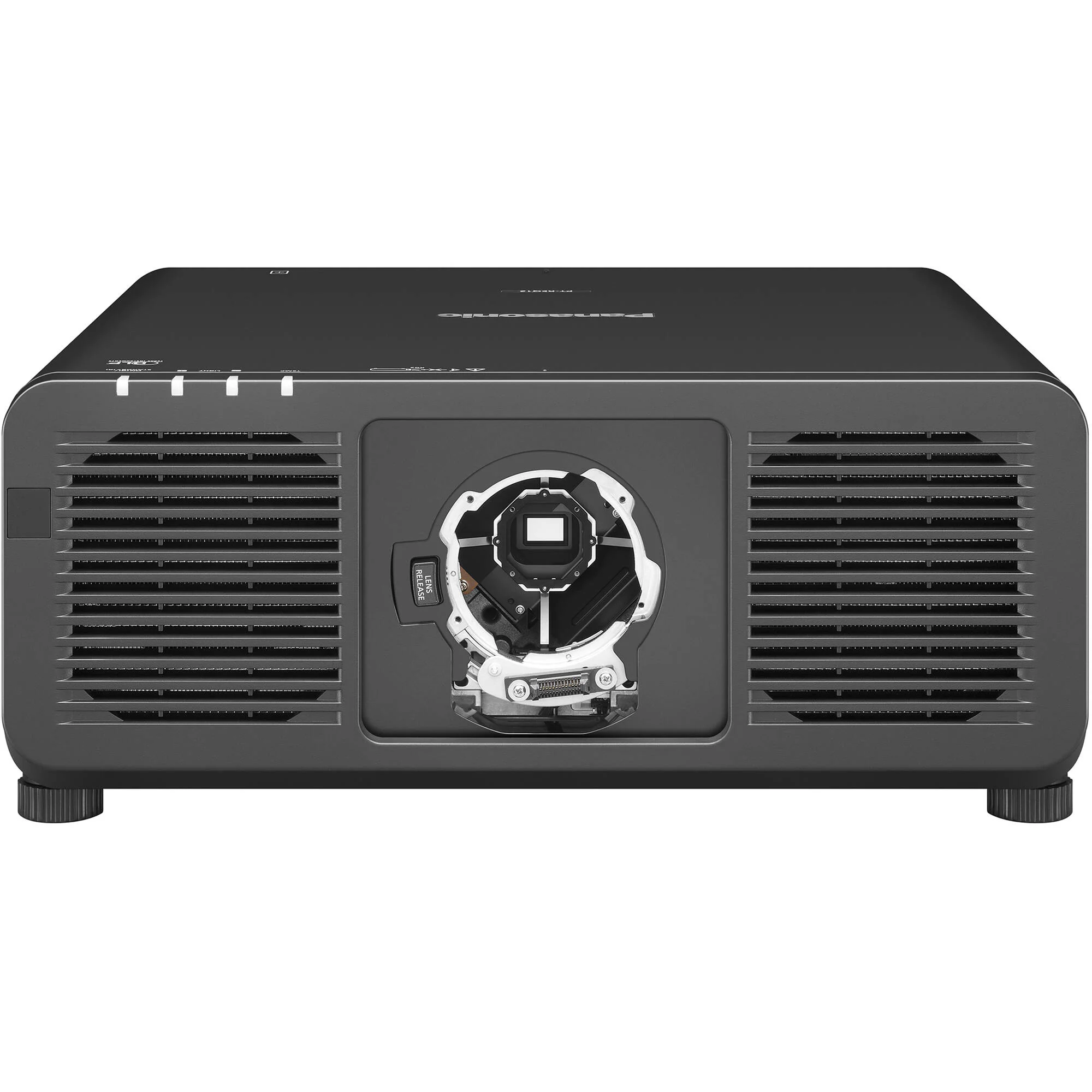
When equipped with a supported lens (not included), the black, Quad Pixel Drive-powered Panasonic PT-REQ80L 8000-Lumen WUXGA Laser DLP Projector offers a 1920 x 1200 resolution, but is capable of accepting content up to 4K for large venues with an incredibly bright 8000 lumens. Even fast-motion video is supported with 240 Hz refresh on up to 2K resolution footage and a low 6 ms latency. Many features are offered for remote and customized setup and management, even with the projector powered off. The PT-REQ80L is also extremely reliable, with a IP5X dust-resistant design and water-cooled multi-laser light that do not require filters and offer nearly maintenance-free operation for up to 20,000 hours.

Quad Pixel Drive
In addition to 4K and fast 2K240 support, the Quad Pixel Drive also features Dynamic Contrast for higher white brightness and deeper blacks, along with two modes of Rich Color Enhancer. Dynamic mode balances brightness and color, while Standard mode expands the red-channel output for more accurate artwork reproduction. These result in crisp images with no visible pixels or pixel-gridding, even when viewed up close.
Gradation Smoother
Three levels of color banding reduction is possible, which can be useful when time and/or budget do not permit additional content editing.
Evolved Dynamic Contrast
Each video frame is analyzed in real-time, where light output is continuously and automatically adjusted to optimize contrast.
Detail Clarity Processor 4
This helps to create a clear and lifelike image by analyzing low to ultra-high frequencies and using image quality correction circuitry to optimize each area.
Multi-Screen Black Level Adjustment
  • Curved Screens: Using up to 17 control points set to within a half-pixel margin, black borders on curved screens can be eliminated when blending multiple projections on curved screens.
  • Inside/Outside Display Area: Black level and geometric adjustment are unlinked, helping to eliminate distracting black-level bumps that can appear in blended images.
21:9 Widescreen
True-to-life cinematic visuals are possible with 21:9 widescreen input signal support using multimedia content, but can also benefit conferencing applications, where all remote guests remain at eye level across the width of the projection.
Test Patterns and Calibration
You have a variety of options when calibrating the PT-REQ80L. Use one of ten built-in test patterns, import and save up to three custom test patterns, or use saved BMP or PNG images of the content to be projected.
Smart Projector Control App
With simple QR code scans, you can use this app to setup and operate the PT-REQ80L and up to 63 others simultaneously. Without any need to enter OSD menus, you can do things like adjust test patterns, lens settings, focus adjustment, and more.
NFC Projector Prep:
Using a mobile device and NFC technology, you can prepare your projector without it even being powered on. Tap the decal on the PT-REQ80L to use the Smart Projector Control app to adjust settings that can then be applied when the projector is finally setup and powered on. This feature also lets you restore the PT-REQ80L to factory defaults when powered off.
Remote Control Screen Adjustment
Use the included remote control and Free Grid to make vertical and horizontal control point adjustments to fix distorted images, whether it be due to uneven surfaces or a curved screen. Choose different grid patterns from 2 x 2 to 17 x 17. Changes are saved automatically and can be done over a background image.
Pre-Activated Upgrade Kits
The PT-REQ80L comes with pre-activated upgrade kits for the free Geometry Manager Pro software. You get ET-CUK10 Auto Screen Adjustment and ET-UK20 Geometry Manager Pro upgrade kits. They add edge-blending, color uniformity, masking tools, and automatic edge-blending calibration features.
Fast Angle Correction
Finding the current orientation and installation angle is now as easy as checking the OSD menu. An embedded gyro sensor detects changes to pitch and roll angles, displaying their values on-screen in the OSD menu.
Remote Preview LITE
Accessed via software or web browser on a laptop, projectionists can preview the content's input signal as thumbnails on a laptop. A useful feature when actual screen testing and checking is not logistically possible.
Input Insurance
Using both HDMI inputs, two sources with identical content can be sent to the projector. If one should fail, the projector will automatically switch to the backup source in roughly 0.3 seconds. Fast enough for seamless projection without any partially blank sections.
Failover Circuitry
If one laser diode fails, rather than power being cut for a significant drop in brightness, built-in failover circuitry kicks in to continue to supply electricity to the remaining diodes to minimize brightness loss.
UPC: 885170405462

In the Box

  • Panasonic PT-REQ80L 8000-Lumen WUXGA Laser DLP Projector (No Lens, Black)
  • Remote Control
  • Limited 3-Year Manufacturer Warranty (Excluding Light Source)

Not in the Box

    Table of Contents
    • Description
    • Quad Pixel Drive
    • Gradation Smoother
    • Evolved Dynamic Contrast
    • Detail Clarity Processor 4
    • Multi-Screen Black Level Adjustment
    • 21:9 Widescreen
    • Test Patterns and Calibration
    • Smart Projector Control App
    • NFC Projector Prep:
    • Remote Control Screen Adjustment
    • Pre-Activated Upgrade Kits
    • Fast Angle Correction
    • Remote Preview LITE
    • Input Insurance
    • Failover Circuitry

    Panasonic REQ80L Specs

    Key Specs
    Display System
    1-Chip 0.80" DLP
    Native Chip Resolution
    1920 x 1200 (WUXGA)
    Maximum Brightness
    8000 Lumens (Center)
    Supported HDR Input Formats
    No
    Inputs/Outputs
    2x HDMI Audio, Video Input
    1x DisplayPort Audio, Video Input
    1x BNC Video Input
    1x BNC Video Output
    1x DE-9/DB-9 (RS-232) Control Input
    1x DE-9/DB-9 (RS-232) Control Output
    1x 1/8" / 3.5 mm Mini Remote Input
    1x 1/8" / 3.5 mm Mini Remote Output
    1x DE-9/DB-9 Remote Input
    1x RJ45 (Ethernet) LAN Input/Output
    1x USB-A Data Input
    1x USB-A Power Output
    Light Source
    Laser Phosphor
    Image Display
    Display System
    1-Chip 0.80" DLP
    Native Chip Resolution
    1920 x 1200 (WUXGA)
    Supported Resolutions
    Maximum: 4K UHD - 3840 x 2160
    Maximum Brightness
    8000 Lumens (Center)
    Aspect Ratio
    Native: 16:10
    Supported: 21:9
    Contrast Ratio
    25,000:1
    Latency
    6 ms
    Lens
    Includes Lens
    No
    Features
    Supported HDR Input Formats
    No
    Multi-Input Support (PIP/PBP)
    Not Specified by Manufacturer
    Ceiling Mountable
    Yes
    Input/Output Connectors
    Inputs/Outputs
    2x HDMI Audio, Video Input
    1x DisplayPort Audio, Video Input
    1x BNC Video Input
    1x BNC Video Output
    1x DE-9/DB-9 (RS-232) Control Input
    1x DE-9/DB-9 (RS-232) Control Output
    1x 1/8" / 3.5 mm Mini Remote Input
    1x 1/8" / 3.5 mm Mini Remote Output
    1x DE-9/DB-9 Remote Input
    1x RJ45 (Ethernet) LAN Input/Output
    1x USB-A Data Input
    1x USB-A Power Output
    HDCP Support
    Yes, Version 2.3
    Media/Memory Card Slot
    No
    Number of Expansion Slots
    1
    Hardware
    Mobile App Compatible
    Yes: Android & iOS
    App Name: Smart Projector Control
    Functionality: Adjust Settings, Setup
    Bluetooth
    No
    General
    Light Source
    Laser Phosphor
    Expected Lamp Life
    Full Brightness: 20,000 Hours
    Low Brightness: 24,000 Hours
    Fan Noise
    Full Brightness: 35 dB
    Low Brightness: 32 dB
    AC Input Power
    100 to 240 VAC, 50 / 60 Hz
    Power Consumption
    Full Brightness: 760 W
    Medium Brightness: 595 W
    Low Brightness: 465 W
    Operating Temperature
    32 to 113°F / 0 to 45°C
    Operating Humidity
    10 to 80%
    Dimensions (W x H x D)
    19.6 x 8.3 x 21.2" / 498.0 x 212.0 x 538.0 mm
    Weight
    59.5 lb / 27 kg

    All product and company names are trademarks™ or registered® trademarks of their respective holders. Use of them does not imply any affiliation with or endorsement by them.
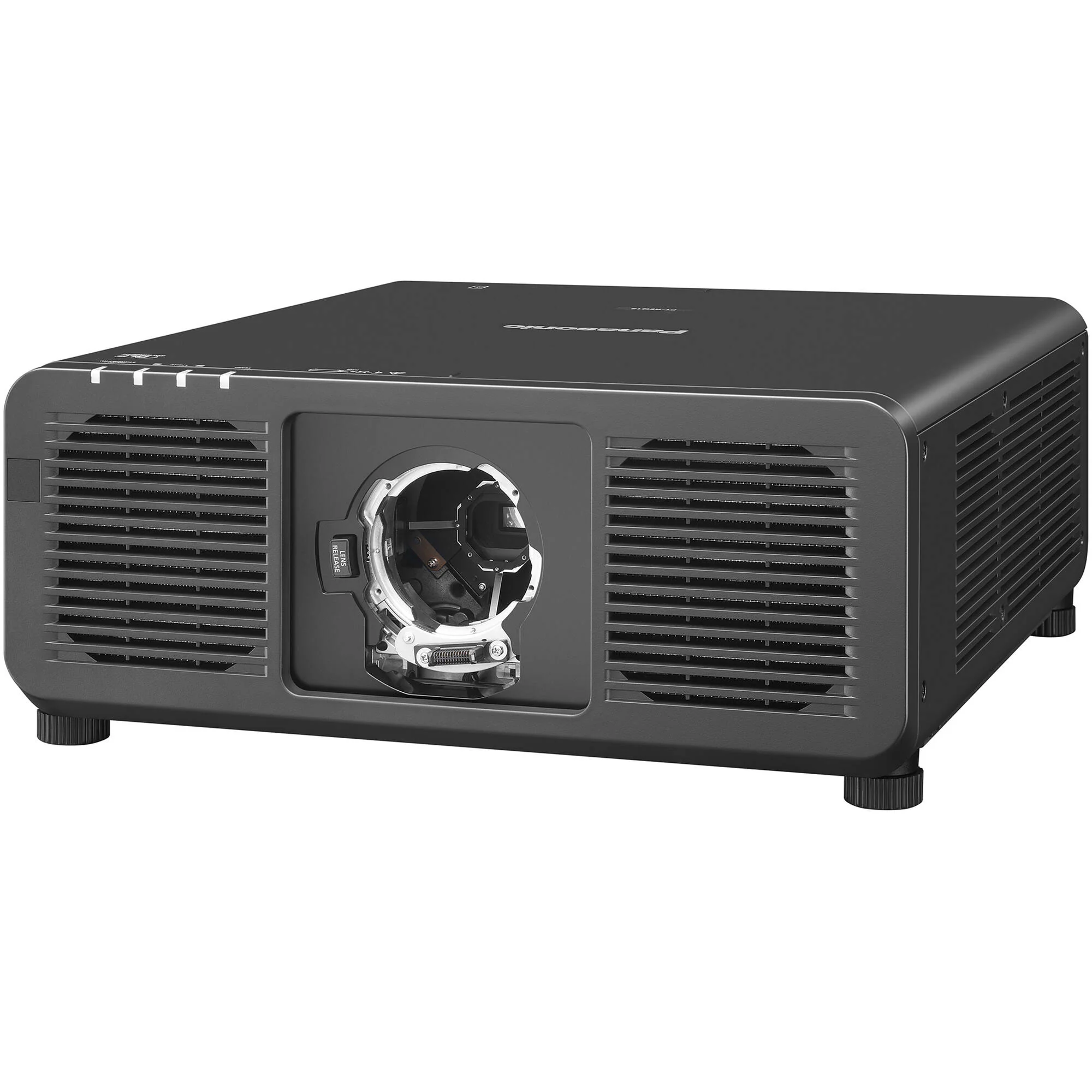
    Panasonic PT-REQ80L 8000-Lumen WUXGA Laser DLP Projector (No Lens, Black) - Image 2

    Details & Craftsmanship

    Every detail has been carefully considered to bring you the perfect product.
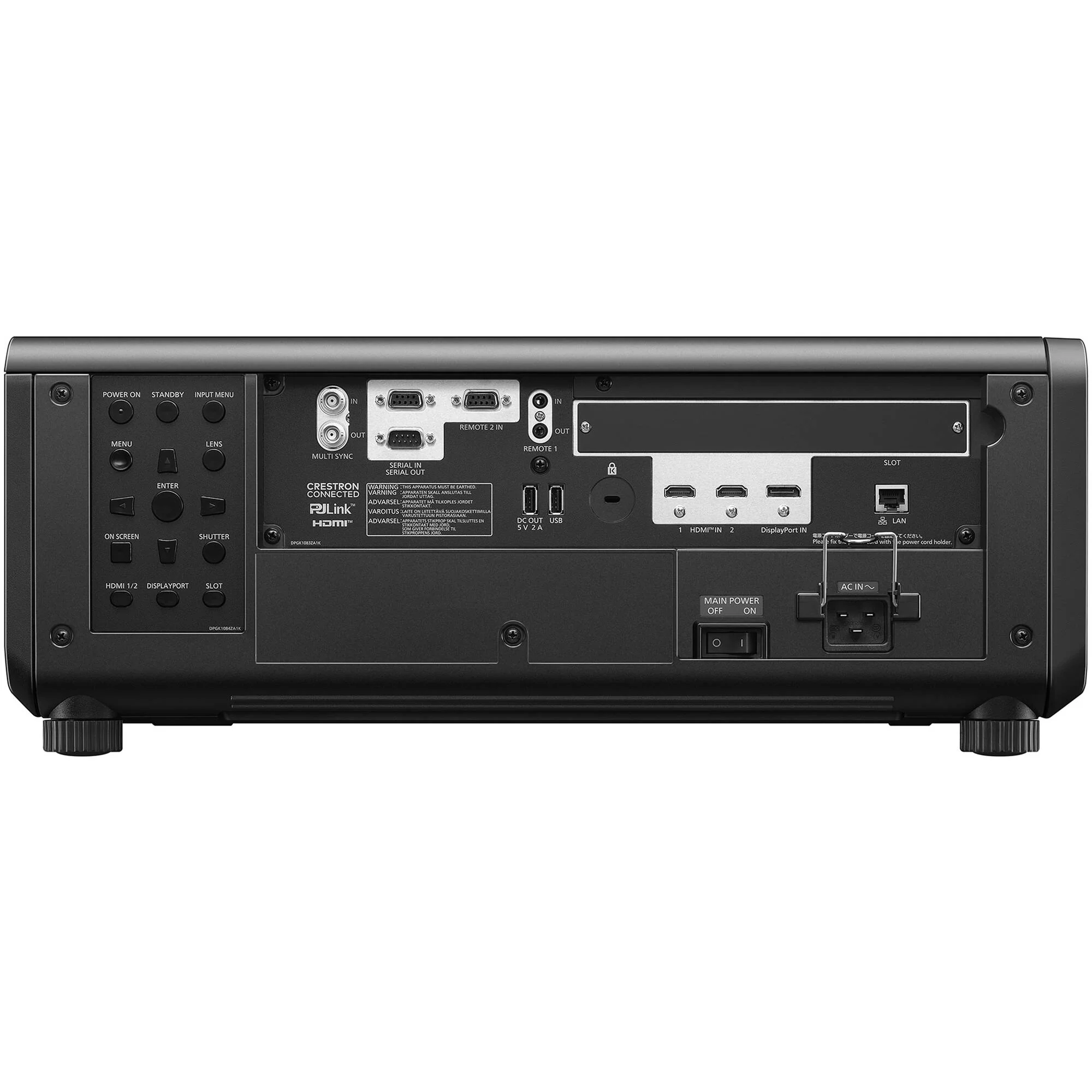
    Panasonic PT-REQ80L 8000-Lumen WUXGA Laser DLP Projector (No Lens, Black) - Image 3

    Details & Craftsmanship

    Every detail has been carefully considered to bring you the perfect product.
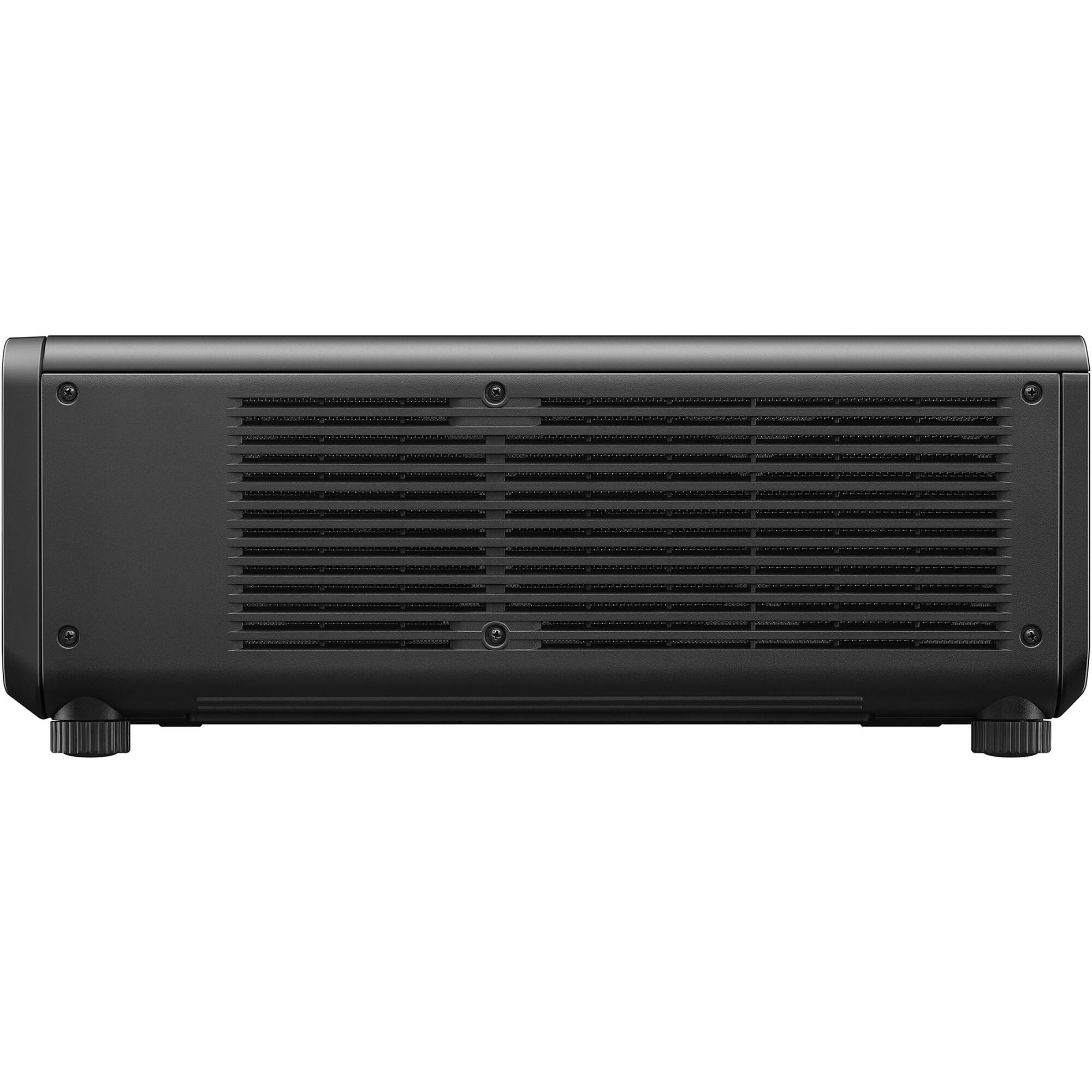
    Panasonic PT-REQ80L 8000-Lumen WUXGA Laser DLP Projector (No Lens, Black) - Image 4

    Details & Craftsmanship

    Every detail has been carefully considered to bring you the perfect product.
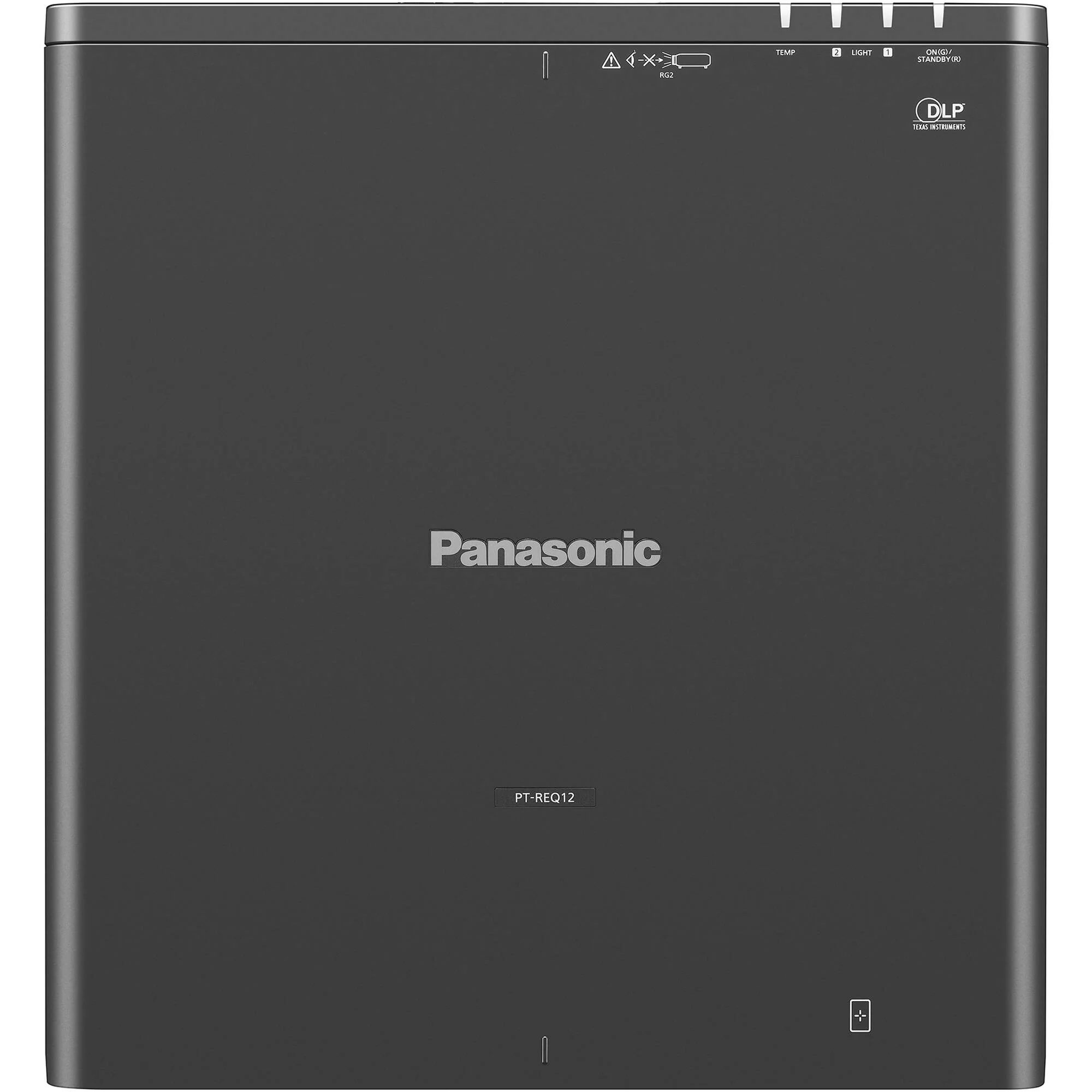
    Panasonic PT-REQ80L 8000-Lumen WUXGA Laser DLP Projector (No Lens, Black) - Image 5

    Details & Craftsmanship

    Every detail has been carefully considered to bring you the perfect product.
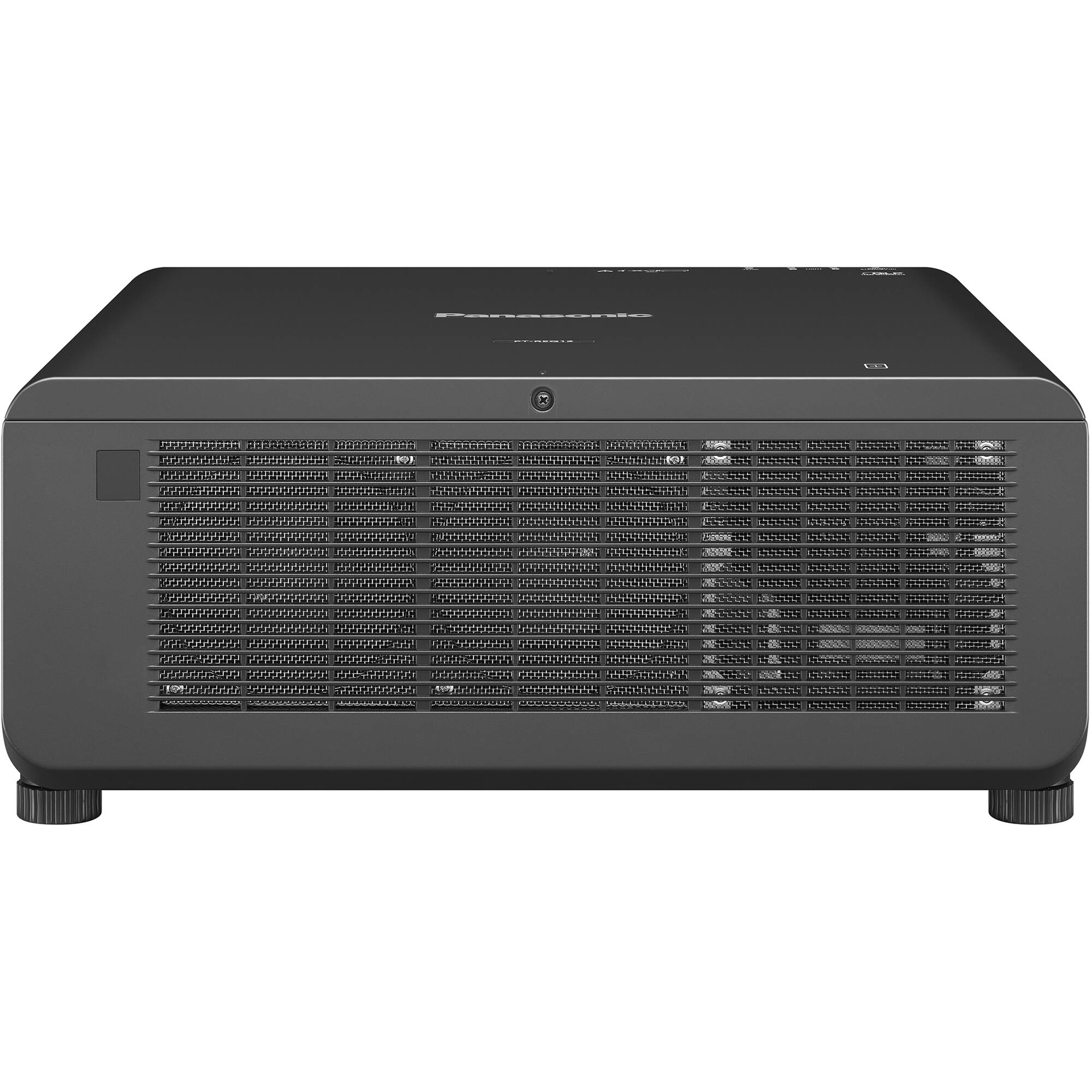
    Panasonic PT-REQ80L 8000-Lumen WUXGA Laser DLP Projector (No Lens, Black) - Image 6

    Details & Craftsmanship

    Every detail has been carefully considered to bring you the perfect product.
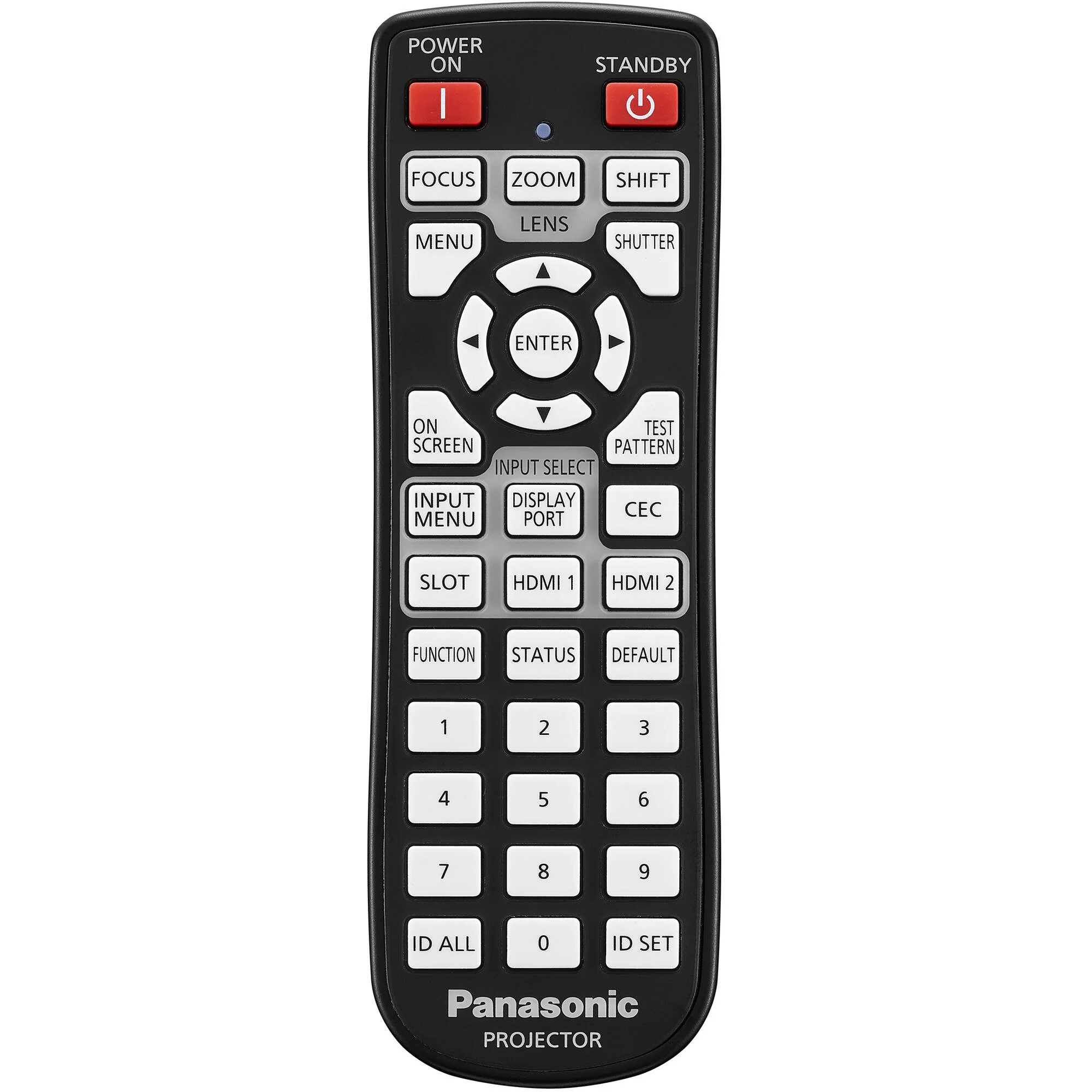
    Panasonic PT-REQ80L 8000-Lumen WUXGA Laser DLP Projector (No Lens, Black) - Image 7

    Details & Craftsmanship

    Every detail has been carefully considered to bring you the perfect product.

    Description

    Panasonic REQ80L Overview

    • 1Description
    • 2Quad Pixel Drive
    • 3Gradation Smoother
    • 4Evolved Dynamic Contrast
    • 5Detail Clarity Processor 4
    • 6Multi-Screen Black Level Adjustment
    • 721:9 Widescreen
    • 8Test Patterns and Calibration
    • 9Smart Projector Control App
    • 10NFC Projector Prep:
    • 11Remote Control Screen Adjustment
    • 12Pre-Activated Upgrade Kits
    • 13Fast Angle Correction
    • 14Remote Preview LITE
    • 15Input Insurance
    • 16Failover Circuitry
    By Photo's
    John Foldi

    When equipped with a supported lens (not included), the black, Quad Pixel Drive-powered Panasonic PT-REQ80L 8000-Lumen WUXGA Laser DLP Projector offers a 1920 x 1200 resolution, but is capable of accepting content up to 4K for large venues with an incredibly bright 8000 lumens. Even fast-motion video is supported with 240 Hz refresh on up to 2K resolution footage and a low 6 ms latency. Many features are offered for remote and customized setup and management, even with the projector powered off. The PT-REQ80L is also extremely reliable, with a IP5X dust-resistant design and water-cooled multi-laser light that do not require filters and offer nearly maintenance-free operation for up to 20,000 hours.

    Quad Pixel Drive
    In addition to 4K and fast 2K240 support, the Quad Pixel Drive also features Dynamic Contrast for higher white brightness and deeper blacks, along with two modes of Rich Color Enhancer. Dynamic mode balances brightness and color, while Standard mode expands the red-channel output for more accurate artwork reproduction. These result in crisp images with no visible pixels or pixel-gridding, even when viewed up close.
    Gradation Smoother
    Three levels of color banding reduction is possible, which can be useful when time and/or budget do not permit additional content editing.
    Evolved Dynamic Contrast
    Each video frame is analyzed in real-time, where light output is continuously and automatically adjusted to optimize contrast.
    Detail Clarity Processor 4
    This helps to create a clear and lifelike image by analyzing low to ultra-high frequencies and using image quality correction circuitry to optimize each area.
    Multi-Screen Black Level Adjustment
    • Curved Screens: Using up to 17 control points set to within a half-pixel margin, black borders on curved screens can be eliminated when blending multiple projections on curved screens.
    • Inside/Outside Display Area: Black level and geometric adjustment are unlinked, helping to eliminate distracting black-level bumps that can appear in blended images.
    21:9 Widescreen
    True-to-life cinematic visuals are possible with 21:9 widescreen input signal support using multimedia content, but can also benefit conferencing applications, where all remote guests remain at eye level across the width of the projection.
    Test Patterns and Calibration
    You have a variety of options when calibrating the PT-REQ80L. Use one of ten built-in test patterns, import and save up to three custom test patterns, or use saved BMP or PNG images of the content to be projected.
    Smart Projector Control App
    With simple QR code scans, you can use this app to setup and operate the PT-REQ80L and up to 63 others simultaneously. Without any need to enter OSD menus, you can do things like adjust test patterns, lens settings, focus adjustment, and more.
    NFC Projector Prep:
    Using a mobile device and NFC technology, you can prepare your projector without it even being powered on. Tap the decal on the PT-REQ80L to use the Smart Projector Control app to adjust settings that can then be applied when the projector is finally setup and powered on. This feature also lets you restore the PT-REQ80L to factory defaults when powered off.
    Remote Control Screen Adjustment
    Use the included remote control and Free Grid to make vertical and horizontal control point adjustments to fix distorted images, whether it be due to uneven surfaces or a curved screen. Choose different grid patterns from 2 x 2 to 17 x 17. Changes are saved automatically and can be done over a background image.
    Pre-Activated Upgrade Kits
    The PT-REQ80L comes with pre-activated upgrade kits for the free Geometry Manager Pro software. You get ET-CUK10 Auto Screen Adjustment and ET-UK20 Geometry Manager Pro upgrade kits. They add edge-blending, color uniformity, masking tools, and automatic edge-blending calibration features.
    Fast Angle Correction
    Finding the current orientation and installation angle is now as easy as checking the OSD menu. An embedded gyro sensor detects changes to pitch and roll angles, displaying their values on-screen in the OSD menu.
    Remote Preview LITE
    Accessed via software or web browser on a laptop, projectionists can preview the content's input signal as thumbnails on a laptop. A useful feature when actual screen testing and checking is not logistically possible.
    Input Insurance
    Using both HDMI inputs, two sources with identical content can be sent to the projector. If one should fail, the projector will automatically switch to the backup source in roughly 0.3 seconds. Fast enough for seamless projection without any partially blank sections.
    Failover Circuitry
    If one laser diode fails, rather than power being cut for a significant drop in brightness, built-in failover circuitry kicks in to continue to supply electricity to the remaining diodes to minimize brightness loss.
    UPC: 885170405462

    In the Box

    • Panasonic PT-REQ80L 8000-Lumen WUXGA Laser DLP Projector (No Lens, Black)
    • Remote Control
    • Limited 3-Year Manufacturer Warranty (Excluding Light Source)

    Not in the Box

      Table of Contents
      • Description
      • Quad Pixel Drive
      • Gradation Smoother
      • Evolved Dynamic Contrast
      • Detail Clarity Processor 4
      • Multi-Screen Black Level Adjustment
      • 21:9 Widescreen
      • Test Patterns and Calibration
      • Smart Projector Control App
      • NFC Projector Prep:
      • Remote Control Screen Adjustment
      • Pre-Activated Upgrade Kits
      • Fast Angle Correction
      • Remote Preview LITE
      • Input Insurance
      • Failover Circuitry

      Panasonic REQ80L Specs

      Key Specs
      Display System
      1-Chip 0.80" DLP
      Native Chip Resolution
      1920 x 1200 (WUXGA)
      Maximum Brightness
      8000 Lumens (Center)
      Supported HDR Input Formats
      No
      Inputs/Outputs
      2x HDMI Audio, Video Input
      1x DisplayPort Audio, Video Input
      1x BNC Video Input
      1x BNC Video Output
      1x DE-9/DB-9 (RS-232) Control Input
      1x DE-9/DB-9 (RS-232) Control Output
      1x 1/8" / 3.5 mm Mini Remote Input
      1x 1/8" / 3.5 mm Mini Remote Output
      1x DE-9/DB-9 Remote Input
      1x RJ45 (Ethernet) LAN Input/Output
      1x USB-A Data Input
      1x USB-A Power Output
      Light Source
      Laser Phosphor
      Image Display
      Display System
      1-Chip 0.80" DLP
      Native Chip Resolution
      1920 x 1200 (WUXGA)
      Supported Resolutions
      Maximum: 4K UHD - 3840 x 2160
      Maximum Brightness
      8000 Lumens (Center)
      Aspect Ratio
      Native: 16:10
      Supported: 21:9
      Contrast Ratio
      25,000:1
      Latency
      6 ms
      Lens
      Includes Lens
      No
      Features
      Supported HDR Input Formats
      No
      Multi-Input Support (PIP/PBP)
      Not Specified by Manufacturer
      Ceiling Mountable
      Yes
      Input/Output Connectors
      Inputs/Outputs
      2x HDMI Audio, Video Input
      1x DisplayPort Audio, Video Input
      1x BNC Video Input
      1x BNC Video Output
      1x DE-9/DB-9 (RS-232) Control Input
      1x DE-9/DB-9 (RS-232) Control Output
      1x 1/8" / 3.5 mm Mini Remote Input
      1x 1/8" / 3.5 mm Mini Remote Output
      1x DE-9/DB-9 Remote Input
      1x RJ45 (Ethernet) LAN Input/Output
      1x USB-A Data Input
      1x USB-A Power Output
      HDCP Support
      Yes, Version 2.3
      Media/Memory Card Slot
      No
      Number of Expansion Slots
      1
      Hardware
      Mobile App Compatible
      Yes: Android & iOS
      App Name: Smart Projector Control
      Functionality: Adjust Settings, Setup
      Bluetooth
      No
      General
      Light Source
      Laser Phosphor
      Expected Lamp Life
      Full Brightness: 20,000 Hours
      Low Brightness: 24,000 Hours
      Fan Noise
      Full Brightness: 35 dB
      Low Brightness: 32 dB
      AC Input Power
      100 to 240 VAC, 50 / 60 Hz
      Power Consumption
      Full Brightness: 760 W
      Medium Brightness: 595 W
      Low Brightness: 465 W
      Operating Temperature
      32 to 113°F / 0 to 45°C
      Operating Humidity
      10 to 80%
      Dimensions (W x H x D)
      19.6 x 8.3 x 21.2" / 498.0 x 212.0 x 538.0 mm
      Weight
      59.5 lb / 27 kg

      All product and company names are trademarks™ or registered® trademarks of their respective holders. Use of them does not imply any affiliation with or endorsement by them.