Original: $1,105.54
-70%$1,105.54
$331.66The Story
Middle Things APC-R Overview
- 1Description
- 2Simple to Set Up
- 3Remote Camera Control
- 4Save Preset Positions
- 5Wireless
- 6Two Included Software Apps
- 7Compatible Gimbals
- 8Compatible Cameras
- 9Compatible ATEM Switchers
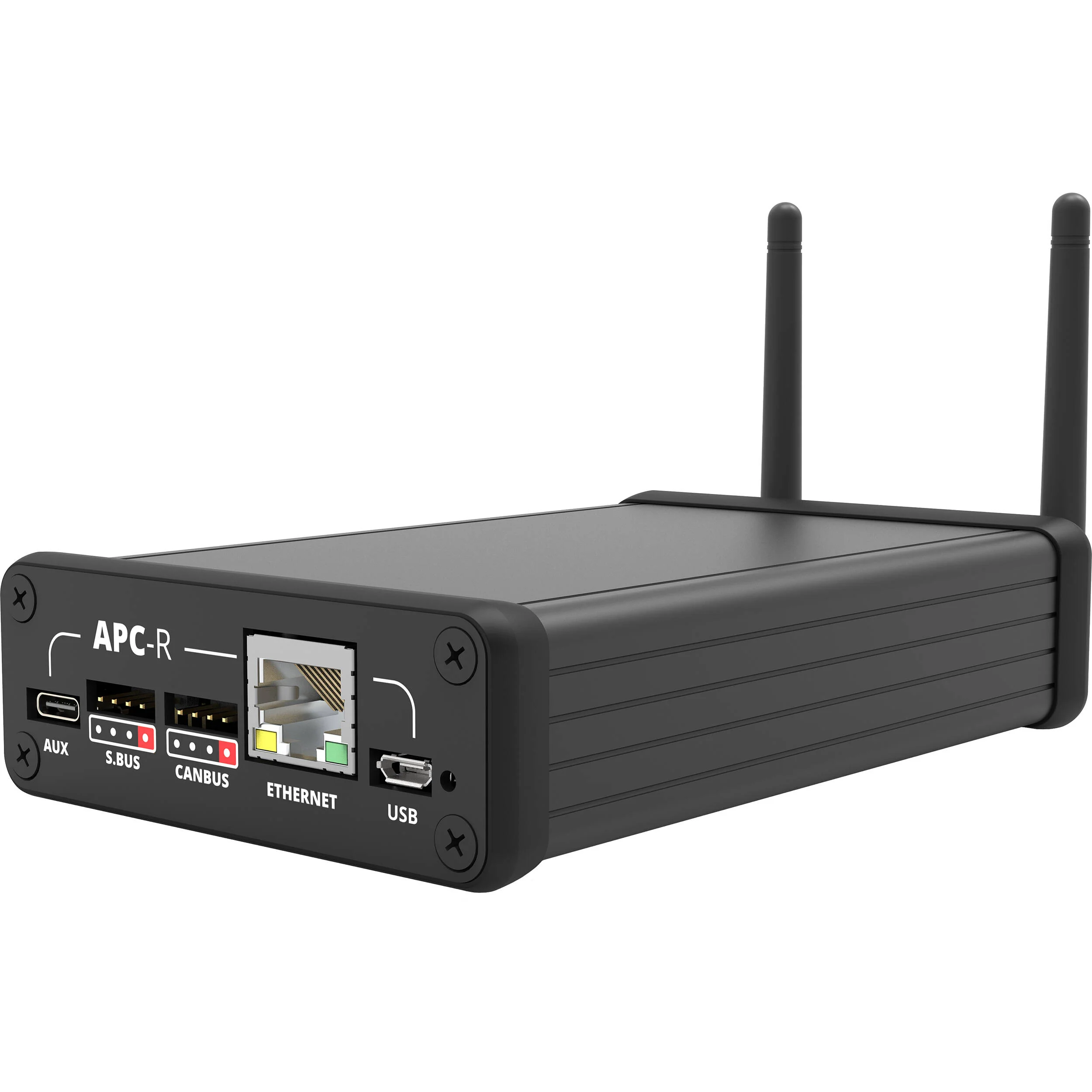
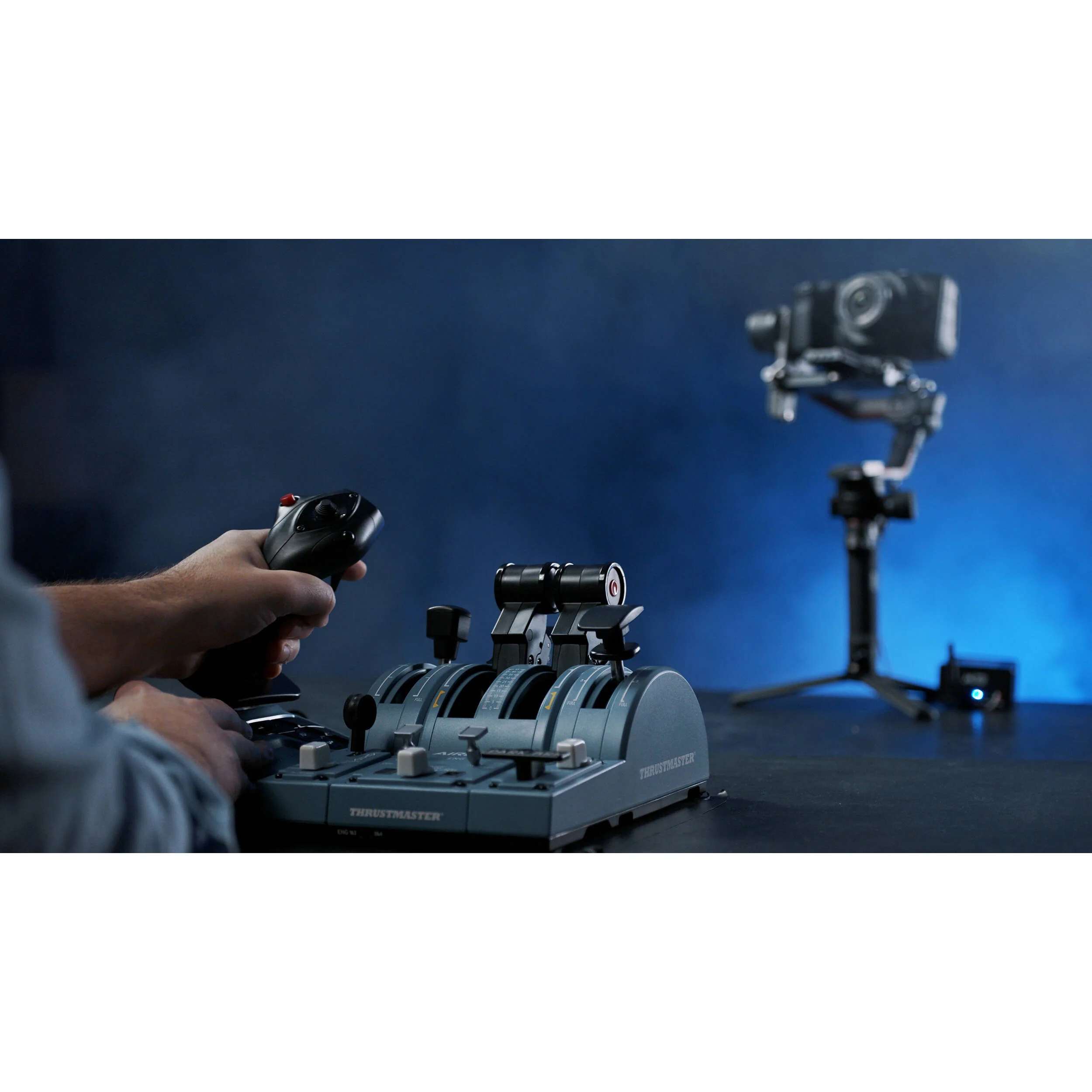
Turn your compatible DJI gimbal into a PTZ system with the Middle Things APC-R Controller, and take advantage of the smooth motor moves and sharp optics of your camera to create images without needing a discrete PTZ camera system. Each APC-R can control one gimbal/camera setup, and you can control up to eight setups from a single laptop using a single USB gaming-style controller. Combine the DJI gimbal with a compatible Blackmagic Design camera, and you get the equivalent of a high-end PTZ camera system.
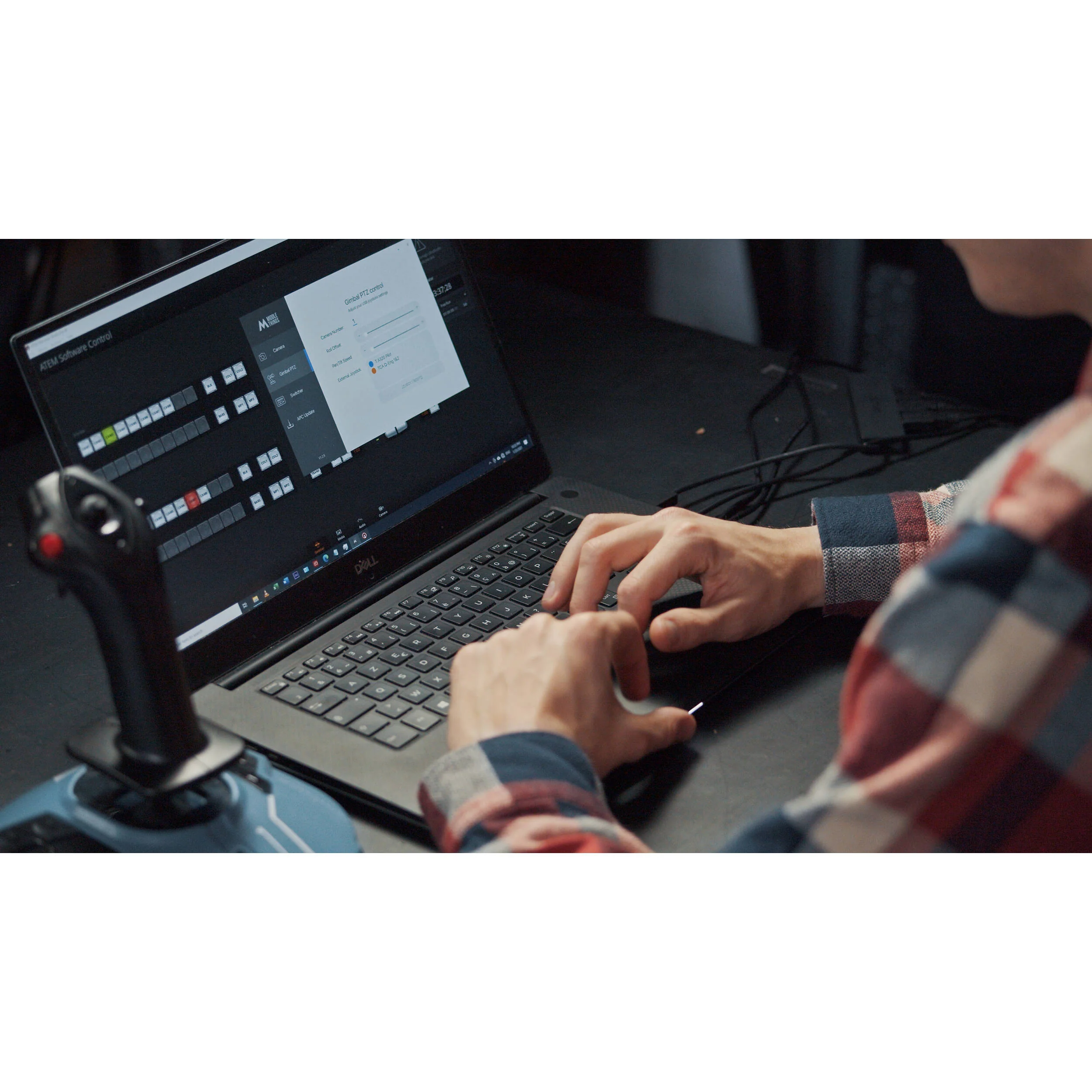
Using the Middle Control desktop software allows you to map joystick controls and actions to your gimbal to make it perform as if it were a dedicated PTZ head. The software also enables control of shutter, iris, WB, gain, and focus when using select Blackmagic Design cameras. Adding a Blackmagic ATEM switcher to the mix provides you with control over even more advanced camera functions such as luma, gamma, lift, contrast, saturation, and sharpening.
Simple to Set Up
- Run a single cable between the APC-R and your gimbal for communication and power.
- For additional reliability use a wired Ethernet connection from the APC-R to your computer or network router.
- The connection from the APC-R to the camera is via Bluetooth.
Remote Camera Control
- Use compatible Blackmagic Design cameras on your gimbal to remotely control shutter/iris/white balance/gain/focus through Bluetooth in addition to the pan, tilt, roll, speed, or zoom motor of the gimbal.
- When using an ATEM switcher, you can connect the Middle Control desktop software to the ATEM to control more advanced camera settings such as luma, gamma, lift, contrast, saturation, and sharpening.
Save Preset Positions
Wireless
- In addition to the built-in Ethernet port that offers a wired control solution, you can use the built-in Wi-Fi receiver to control the gimbal and camera completely wirelessly. When the Ethernet cable is disconnected, the APC-R will automatically switch to Wi-Fi within a few seconds.
- When connected to an ATEM switcher over Wi-Fi, the APC-R grabs all the ATEM Software Control camera controls and forwards them to the Blackmagic camera using Bluetooth. Pair that with a video transmission system, and you have a fully wireless remote-controlled camera setup.
Two Included Software Apps
- The Middle Setup iOS app allows you to adjust your APC-R settings easily via Bluetooth camera pairing for Wi-Fi and network settings, camera number, and more.
- The Middle Control desktop app lets you control all your cameras and gimbals remotely from one laptop in your control room. You can connect up to four USB joysticks controllers, and map camera and gimbal settings to any joystick button or axis.
Compatible Gimbals
- DJI Ronin RS2
- DJI Ronin-S
- DJI Ronin-SC
- DJI Ronin-2
Compatible Cameras
- Blackmagic Pocket Cinema Camera 6K
- Blackmagic Pocket Cinema Camera 6K Pro
- Blackmagic Ursa Broadcast
- Blackmagic Ursa Mini Pro
- Blackmagic Ursa Mini Pro G2
The following cameras allow you to record focus distance with position presets:
- Blackmagic Pocket Cinema Camera 4K
- Blackmagic Studio Camera 4K Pro
- Blackmagic Studio Camera 4K Plus
- Blackmagic Micro Studio 4K (needs its SDI IN connected to an ATEM PGM output and ATEM connected to Middle Control
Compatible ATEM Switchers
- ATEM Mini/Mini Pro/Mini Pro ISO
- ATEM Mini Extreme/Extreme ISO
- ATEM Television Studio HD
- ATEM Television Studio Pro HD
- ATEM Television Studio Pro 4K
- ATEM Production Studio 4K
- ATEM 1M/E & 2M/E Production Studio 4K
- ATEM 4M/E Broadcast Studio 4K
- ATEM Constellation 8K
In the Box
- Middle Things APC-R Controller
- Gimbal Cable (1.6')
- Gimbal cable (6.5')
- 2 x Wireless Antenna
- Limited 1-Year Warranty
- Description
- Simple to Set Up
- Remote Camera Control
- Save Preset Positions
- Wireless
- Two Included Software Apps
- Compatible Gimbals
- Compatible Cameras
- Compatible ATEM Switchers
Middle Things APC-R Specs
| Power | Input 5V USB Power Source From Gimbal (S.Bus/ CANBus) Consumption 1 W |
| Wireless | Wi-Fi Frequency: 2.4 GHz Bluetooth Frequency: 2.4 GHz |
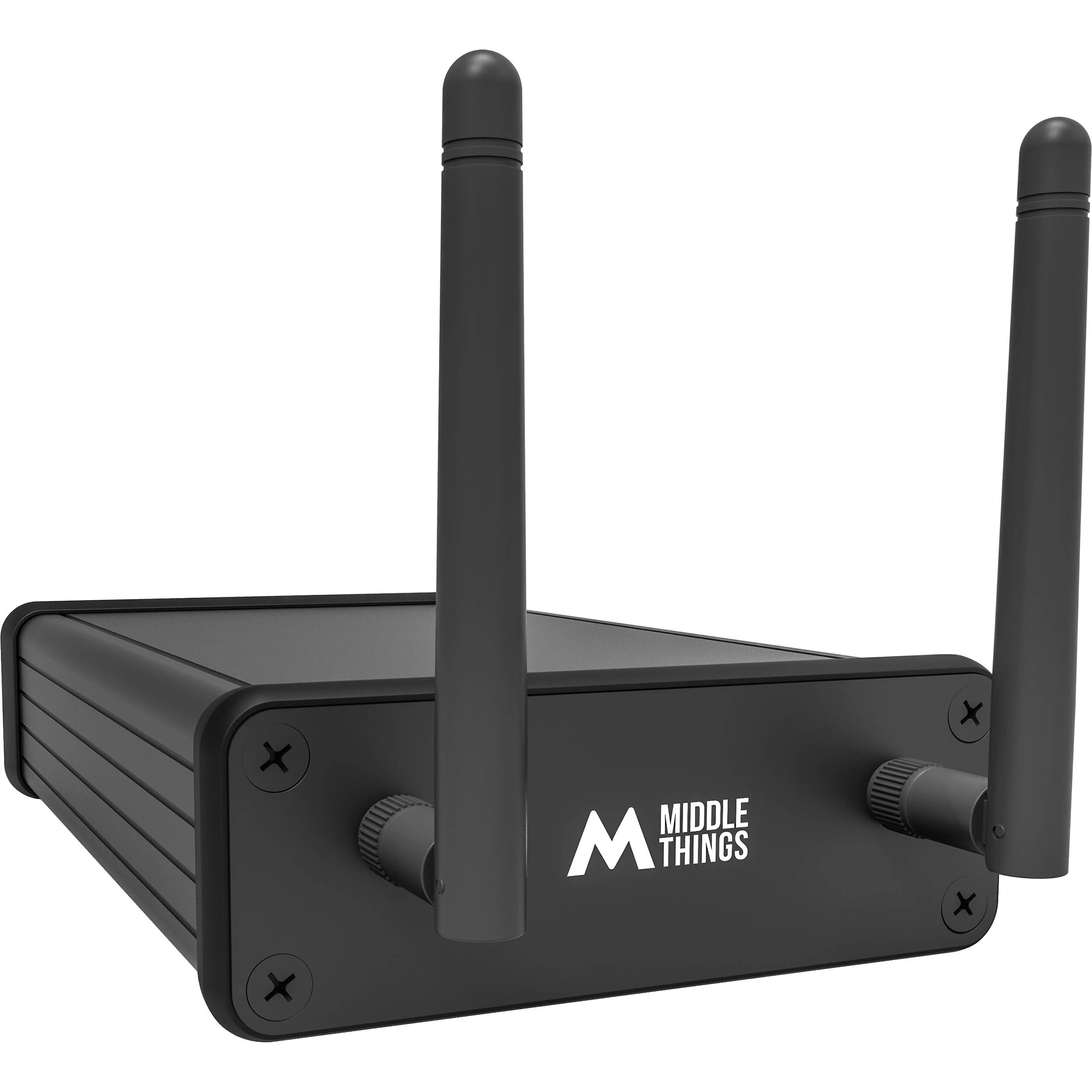
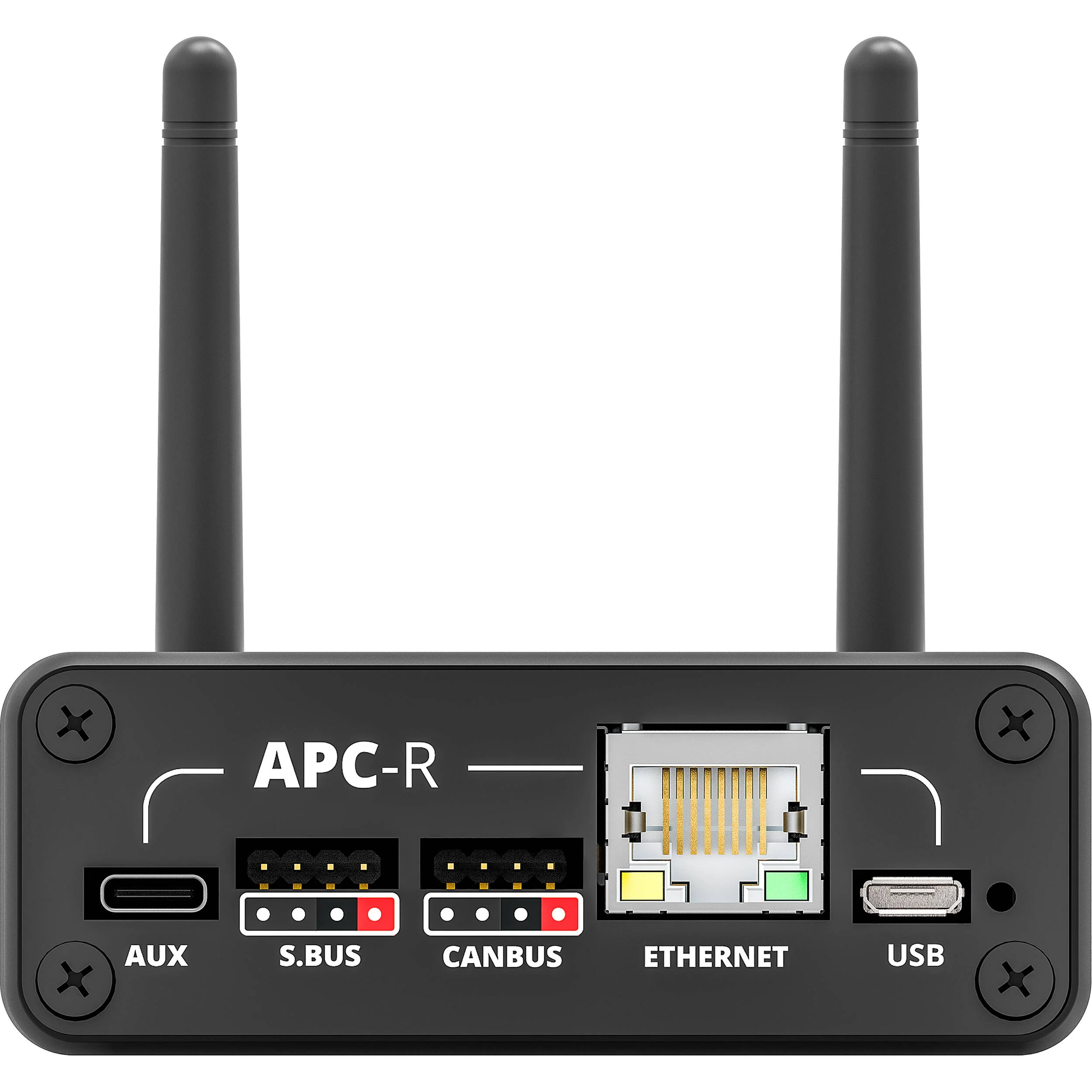
| Connectors | Front Wireless Antenna Bluetooth: RP-SMA Wi-Fi: RP-SMA Rear 1 x Micro-USB (for Power, Update, Setup) 1 x RJ45 1 x 4-Pin S.Bus (for DJI Ronin-S/SC/2 Using the DJI Focus Wheel; Can Supply Power) 1 x 4-Pin CANBus (for DJI RS2 Using the DJI Focus Wheel; Can Supply Power) 1 x USB Type-C (Future Functionality) |
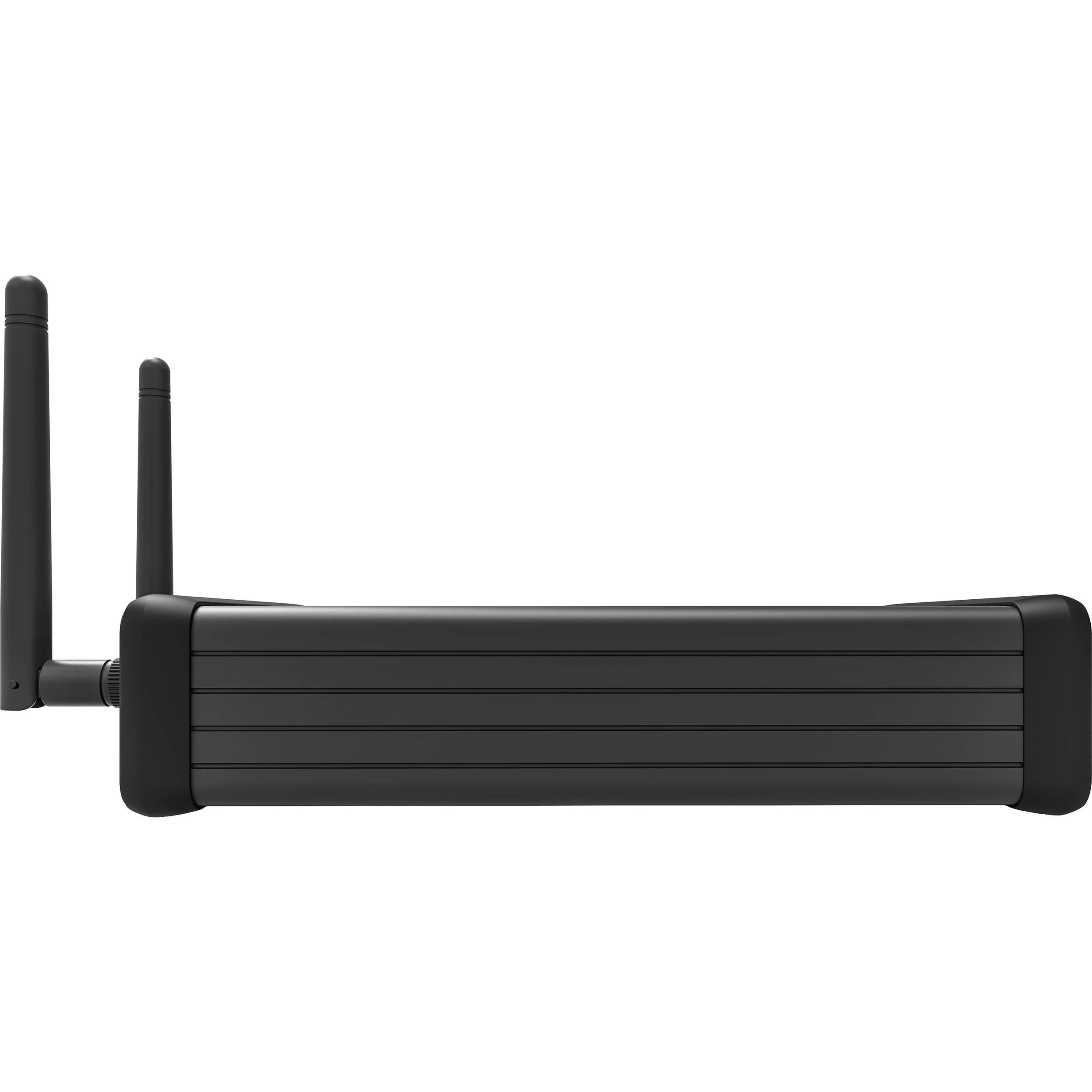
| Dimensions | 4.9 x 3.14 x 1.18" / 12.5 x 8 x 3 cm 6.3 x 1.18 x 1.18" / 16 x 8 x 8 cm (with Antenna) |
| Weight | 7.83 oz / 222 g |
| Package Weight | 1.06 lb |
| Box Dimensions (LxWxH) | 7.2 x 5.1 x 2.3" |
Middle Things APC-R Reviews
All product and company names are trademarks™ or registered® trademarks of their respective holders. Use of them does not imply any affiliation with or endorsement by them.
Details & Craftsmanship
Every detail has been carefully considered to bring you the perfect product.
Details & Craftsmanship
Every detail has been carefully considered to bring you the perfect product.
Details & Craftsmanship
Every detail has been carefully considered to bring you the perfect product.
Details & Craftsmanship
Every detail has been carefully considered to bring you the perfect product.
Details & Craftsmanship
Every detail has been carefully considered to bring you the perfect product.
Description
Middle Things APC-R Overview
- 1Description
- 2Simple to Set Up
- 3Remote Camera Control
- 4Save Preset Positions
- 5Wireless
- 6Two Included Software Apps
- 7Compatible Gimbals
- 8Compatible Cameras
- 9Compatible ATEM Switchers
Turn your compatible DJI gimbal into a PTZ system with the Middle Things APC-R Controller, and take advantage of the smooth motor moves and sharp optics of your camera to create images without needing a discrete PTZ camera system. Each APC-R can control one gimbal/camera setup, and you can control up to eight setups from a single laptop using a single USB gaming-style controller. Combine the DJI gimbal with a compatible Blackmagic Design camera, and you get the equivalent of a high-end PTZ camera system.
Using the Middle Control desktop software allows you to map joystick controls and actions to your gimbal to make it perform as if it were a dedicated PTZ head. The software also enables control of shutter, iris, WB, gain, and focus when using select Blackmagic Design cameras. Adding a Blackmagic ATEM switcher to the mix provides you with control over even more advanced camera functions such as luma, gamma, lift, contrast, saturation, and sharpening.
Simple to Set Up
- Run a single cable between the APC-R and your gimbal for communication and power.
- For additional reliability use a wired Ethernet connection from the APC-R to your computer or network router.
- The connection from the APC-R to the camera is via Bluetooth.
Remote Camera Control
- Use compatible Blackmagic Design cameras on your gimbal to remotely control shutter/iris/white balance/gain/focus through Bluetooth in addition to the pan, tilt, roll, speed, or zoom motor of the gimbal.
- When using an ATEM switcher, you can connect the Middle Control desktop software to the ATEM to control more advanced camera settings such as luma, gamma, lift, contrast, saturation, and sharpening.
Save Preset Positions
Wireless
- In addition to the built-in Ethernet port that offers a wired control solution, you can use the built-in Wi-Fi receiver to control the gimbal and camera completely wirelessly. When the Ethernet cable is disconnected, the APC-R will automatically switch to Wi-Fi within a few seconds.
- When connected to an ATEM switcher over Wi-Fi, the APC-R grabs all the ATEM Software Control camera controls and forwards them to the Blackmagic camera using Bluetooth. Pair that with a video transmission system, and you have a fully wireless remote-controlled camera setup.
Two Included Software Apps
- The Middle Setup iOS app allows you to adjust your APC-R settings easily via Bluetooth camera pairing for Wi-Fi and network settings, camera number, and more.
- The Middle Control desktop app lets you control all your cameras and gimbals remotely from one laptop in your control room. You can connect up to four USB joysticks controllers, and map camera and gimbal settings to any joystick button or axis.
Compatible Gimbals
- DJI Ronin RS2
- DJI Ronin-S
- DJI Ronin-SC
- DJI Ronin-2
Compatible Cameras
- Blackmagic Pocket Cinema Camera 6K
- Blackmagic Pocket Cinema Camera 6K Pro
- Blackmagic Ursa Broadcast
- Blackmagic Ursa Mini Pro
- Blackmagic Ursa Mini Pro G2
The following cameras allow you to record focus distance with position presets:
- Blackmagic Pocket Cinema Camera 4K
- Blackmagic Studio Camera 4K Pro
- Blackmagic Studio Camera 4K Plus
- Blackmagic Micro Studio 4K (needs its SDI IN connected to an ATEM PGM output and ATEM connected to Middle Control
Compatible ATEM Switchers
- ATEM Mini/Mini Pro/Mini Pro ISO
- ATEM Mini Extreme/Extreme ISO
- ATEM Television Studio HD
- ATEM Television Studio Pro HD
- ATEM Television Studio Pro 4K
- ATEM Production Studio 4K
- ATEM 1M/E & 2M/E Production Studio 4K
- ATEM 4M/E Broadcast Studio 4K
- ATEM Constellation 8K
In the Box
- Middle Things APC-R Controller
- Gimbal Cable (1.6')
- Gimbal cable (6.5')
- 2 x Wireless Antenna
- Limited 1-Year Warranty
- Description
- Simple to Set Up
- Remote Camera Control
- Save Preset Positions
- Wireless
- Two Included Software Apps
- Compatible Gimbals
- Compatible Cameras
- Compatible ATEM Switchers
Middle Things APC-R Specs
| Power | Input 5V USB Power Source From Gimbal (S.Bus/ CANBus) Consumption 1 W |
| Wireless | Wi-Fi Frequency: 2.4 GHz Bluetooth Frequency: 2.4 GHz |
| Connectors | Front Wireless Antenna Bluetooth: RP-SMA Wi-Fi: RP-SMA Rear 1 x Micro-USB (for Power, Update, Setup) 1 x RJ45 1 x 4-Pin S.Bus (for DJI Ronin-S/SC/2 Using the DJI Focus Wheel; Can Supply Power) 1 x 4-Pin CANBus (for DJI RS2 Using the DJI Focus Wheel; Can Supply Power) 1 x USB Type-C (Future Functionality) |
| Dimensions | 4.9 x 3.14 x 1.18" / 12.5 x 8 x 3 cm 6.3 x 1.18 x 1.18" / 16 x 8 x 8 cm (with Antenna) |
| Weight | 7.83 oz / 222 g |
| Package Weight | 1.06 lb |
| Box Dimensions (LxWxH) | 7.2 x 5.1 x 2.3" |
Middle Things APC-R Reviews
All product and company names are trademarks™ or registered® trademarks of their respective holders. Use of them does not imply any affiliation with or endorsement by them.